
Key takeaways:
- The fix for double data entry is to designate one integrated yard system as the authoritative record that every team reads from, so that trailer and move data is entered once and then syncs across the system.
- Duplication is structural, not careless, because the WMS, TMS, spreadsheet, and paper log each hold a piece of the same trailer and none of the four exchange data.
- Standardized API integrations typically take 15 to 30 hours, and complex custom work takes 50 to 60 hours, so yards should sequence connections starting with the largest sources of duplicate entry.
- A full transactional record with timestamps and operators settles the dispute by looking up against a single transaction. In contrast, a snapshot-only system never keeps the history that the claim turns on.
In some yards today, the same trailer number gets written down multiple times before it reaches a dock. The WMS logs the receipt; the TMS logs the carrier and the appointment; a spreadsheet tracks where the trailer sits; and the gate guard records the arrival on a paper log.
None of those four exchanges data. When the records disagree, the person reading the lot has to decide which one is right.
This guide walks through 4 steps to maintain a single source of truth in your yard, from mapping where your data lives today to confirming the second round of keying is gone.
1. Map Every System That Touches Your Yard Data
You cannot sync what you have not mapped. Before any system talks to another, write down where trailer, appointment, and move data live today and who touches it. This audit shows which feed routes to the entry points in step 2.
Walk the yard the way you read the lot each morning, and record every place a record gets created.
The 4-Data Points
Facilities usually land on some mix of these:
- WMS for inbound receiving and inventory, keyed by warehouse staff.
- TMS for carrier appointments and loads, keyed by the transportation team.
- Spreadsheet, the shared tracker your team updates by hand.
- Paper log or whiteboard for gate arrivals and yard moves, filled in by the gate guard and drivers.
Note who owns each one. That tells you where the same trailer number leaves a fingerprint more than once.
Duplicate Entry Points
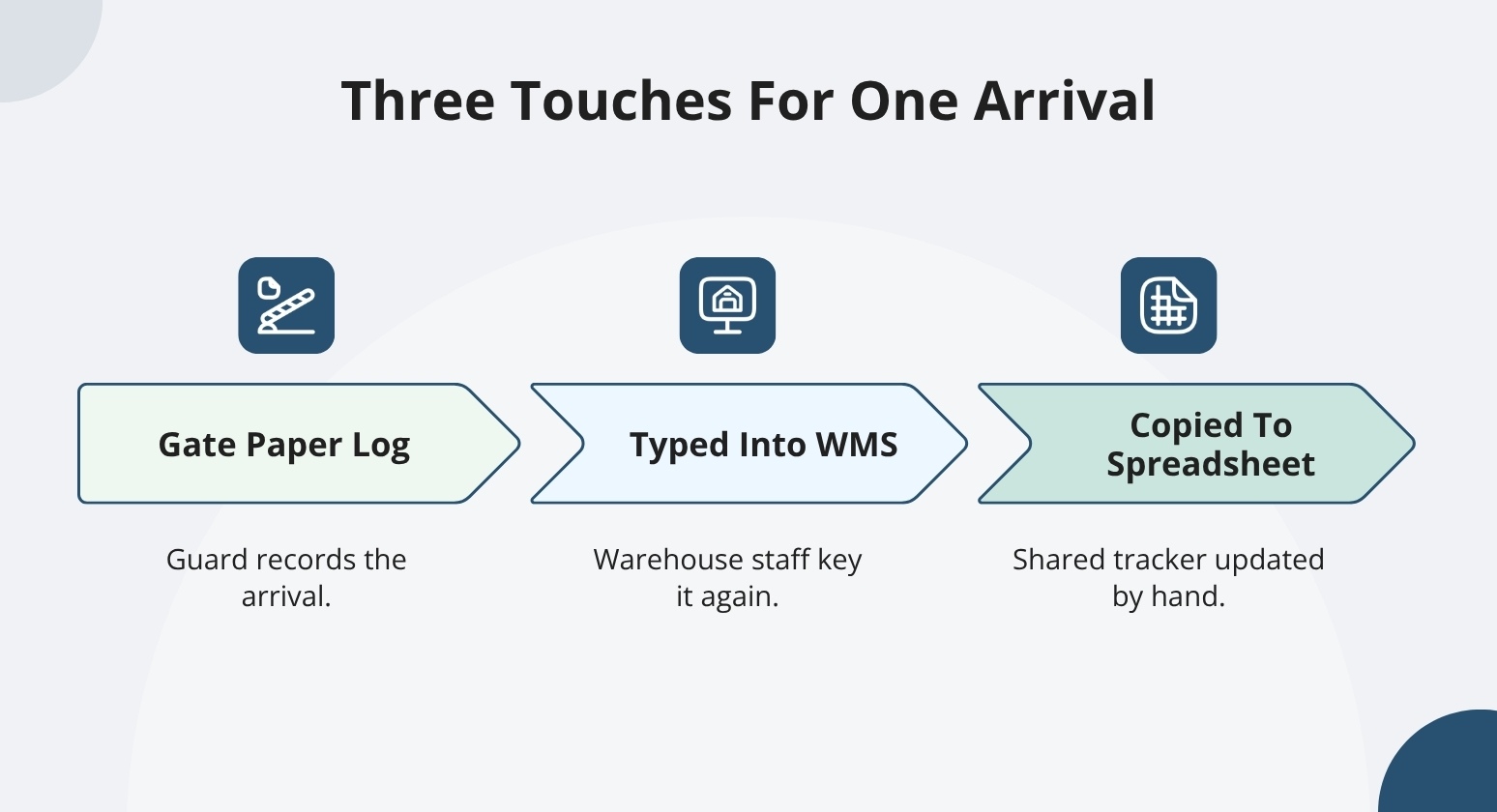
Mark every spot where one event gets entered again. For instance, a trailer checks in at the gate on paper, gets typed into the WMS, and then copied into the spreadsheet. That is three touches for one arrival.
Your map also sets the standard you are aiming for. Many yard tools show only a snapshot of where things stand right now, while a full transactional record keeps the whole history.
Once every system and duplicate touch is on the page, you know exactly which feeds need to route into one record.
2. Standardize How Appointments and Moves Get Created
Once the yard system holds the authoritative record, decide where new data may be added. Duplication starts when anyone can key in an appointment or a move anywhere. Fix a set of legitimate entry points, each resolving to the same record instead of spawning a copy.
Routing Appointments
This is the kind of routing a yard system like YardView handles automatically, rather than something your team has to police by hand.

YardView accepts appointments in four ways, and all of them land in one place:
- WMS/TMS integration: An ASN or order automatically creates the appointment, so nobody rekeys it.
- Carrier self-service portal: Carriers book their own slots with secure credentials, which cuts the phone calls and email threads that used to feed a spreadsheet.
- System-triggered events: a scheduled inbound or a released load automatically generates the appointment.
- Manual creation: Operations staff key in an exception directly when a carrier calls in about an off-schedule pickup.
Whichever path fires, the appointment writes to the same dock scheduling record.
Routing Move Requests
Moves follow the same discipline through three paths:
- Integration triggers: A WMS or TMS event initiates the move without a second entry.
- Manual creation: A user builds the request when a situation calls for it.
- In-cab driver entry: Yard drivers log the move themselves on the in-cab device.
Check that all four appointment paths resolve to a single dock scheduling queue and all three move paths resolve to a single move queue. Defined this way, the data lives once, and every team reads the same view.
3. Connect Your Systems So Data Syncs Once
Once you name the authoritative system, the connection work makes it real. Appointment and move data should auto-populate from your surrounding systems instead of being re-typed. The right method depends on what each system supports.
Connection Methods (API, EDI, SFTP, Flat File)
A yard system connects to any WMS, TMS, or ERP through several methods:

- REST/SOAP APIs: For real-time, two-way sync, where an ASN or move trigger creates the record the moment it fires.
- EDI: For carrier and partner exchanges that already run on established transaction sets.
- SFTP/FTPS or flat files: For scheduled batch handoffs when a system exports on a timer rather than in real time.
YardView integrates with any system, enterprise or homegrown, and named partners include SAP, RedPrairie, Manhattan Associates, Trimble, Softeon, and Thermo King. The result is the same across all of them. Data enters once and automatically populates the yard record.
Non-integrating Systems
Some legacy systems cannot hold a direct connection. For those, an Integration Upload Wizard consumes manually uploaded CSV files, so a tool without an API still feeds a single record. That keeps an older WMS or a homegrown application from becoming the one place your team re-enters trailer data by hand.
Plan the effort honestly. Standardized API integrations typically run 15 to 30 hours, and more complex custom work takes 50 to 60. The trade-off is that a real connection requires upfront engineering time, not a switch you can flip on day one.
4. Establish One Transactional Record with a Full Audit Trail
Syncing data solves the entry problem. Storing it correctly solves the trust problem. Once all inputs land in one place, that place has to hold the full history, not just the current state.
Timestamping Transactions
A snapshot tells you where a trailer sits right now. It cannot tell you when it arrived, who moved it, or how long it waited at the dock. That is where disputes start. YardView records every transaction with a full audit trail (what happened, when and who did it).
Every gate check-in, spot move, and dock event writes to that ledger with a timestamp and an operator attached. Post-arrival movement is tracked at the SKU level, so the record reflects what happened on the ground, not the last known status.
Reporting and Detention-dispute Checks at the Same Ledger
When your reports and your carrier disputes pull from the same history, the finger-pointing stops. A transparent record of every move settles the back-and-forth between teams over who left a trailer where.
For billing, a detention claim is checked against timestamped arrival and departure events, not against a spreadsheet filled in from memory. One ledger, one version of events, and both your planners and your carrier partners read from it.
Unify Your Yard Data With YardView
When gate logs, dock schedules, and yard moves each live in their own system, your team ends up rekeying the same trailer information multiple times. YardView replaces that fragmentation with a single web-based platform where a single check-in populates every downstream view, so the gate, yard, and dock all read from the same live record.
- Cross-System Scheduling: Data auto-populates from connected systems, so appointment, gate, and move information stays consistent without retyping.
- WMS/TMS/ERP Integration: Connects to any WMS, TMS, or ERP via REST/SOAP APIs, flat files, SFTP/FTPS, EDI, and a CSV upload wizard, with named partners including SAP, Manhattan Associates, Trimble, and Softeon.
- Automated Gate Check-In: QR codes, AI OCR cameras, and contactless self-service populate arrival details once, feeding every module directly from the source.
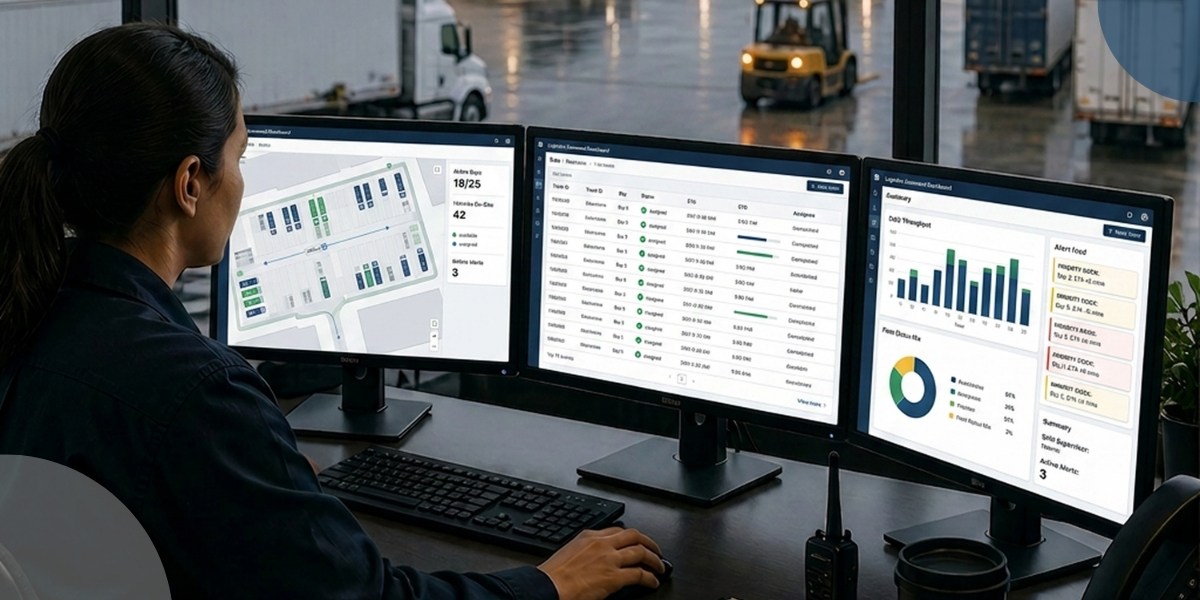
- Drag-and-Drop Visibility Console: A single graphical yard map shows up to 20 data points per asset, color-coded by load status, carrier, location, and dwell in real time.
- Integration-Triggered Move Requests: Moves created automatically from WMS/TMS triggers flow into the in-cab Accept, Start, Finish workflow without separate data entry.
See how YardView connects your WMS, TMS, and ERP so one check-in populates every view and the second round of keying disappears.
FAQs:
What Happens If One of Our Systems Can't Support a Direct Integration?
You still get single-point entry through a file-based connection. The Integration Upload Wizard accepts manually uploaded CSV files for systems that cannot make direct API connections, so an older or homegrown tool does not require you to key in the same trailer data twice. Beyond CSV, YardView connects via REST/SOAP APIs, flat files, SFTP/FTPS, and EDI, which cover most yard setups.
Is a Free Yard Module Bundled with Our WMS or TMS Good Enough for This?
For a low-volume yard, a bundled module can cover the basics. For a high-volume DC, plant, or 3PL yard, these extensions often lack the real-time visibility, task automation, and flexibility complex yard environments need. That produces longer dwell times, manual workarounds, and higher detention costs. A dedicated yard system tracks all post-arrival movement down to SKU-level detail, where a bundled WMS extension usually tracks trailers only at the gate, dock, and departure.
What's the First Move If We're Still Running on Spreadsheets and Phone Calls?
Map the process you run today. Phase 1 mirrors your current gate, yard, and dock steps into YardView before anything gets connected, so the system matches how your team already works. That baseline gives you one place to enter appointments and moves instead of a spreadsheet, a paper log, and a string of status calls. Phase 2 then connects your WMS or TMS so that the data you enter once flows to the teams that need it.