Key takeaways:
- Knowing where a trailer sits and getting it moved are different jobs, which is why a YardView vs FourKites comparison should score yard execution rather than visibility alone.
- FourKites bundles Dynamic Yard inside its broader YardWorks AI suite, so capabilities like detention thresholds, scheduling tools, and spotter reporting vary by tier and need confirmation against your actual contract.
- YardView implementations run about six weeks with under an hour of training per user, and indicative pricing sits near $10,000 setup plus $1,500 to $3,000 monthly for smaller yards.
- The platform that handles messy exceptions wins, so give both vendors the same five scenarios, a late carrier, misplaced trailer, urgent dock request, blocked move, and seal mismatch.
Knowing where a trailer sits and getting it moved are two different jobs. The people running the yard feel that gap every shift. The executives who own the facility P&L see it later, in detention invoices and untraceable overtime hours.
YardView vs FourKites is a comparison of two yard execution platforms, not a visibility tool against a workflow tool. YardView centers on facility-level work: a live yard map, spotter tasking, gate control, and driver communication from arrival through departure, built around yard operations starting in 1998, now 27 years in. FourKites offers Dynamic Yard as part of its broader transportation visibility and yard product suite. Both platforms do yard execution. Here's how each one handles the work your team does daily, capability by capability.
YardView vs FourKites at a Glance
Use this table as a quick reference, not a verdict. Every cell reflects documented capabilities or an honest configuration question, because a comparison chart that overpromises wastes your time. Confirm what ships in your proposed package before drawing conclusions. This matters most for FourKites, where Dynamic Yard is part of the broader YardWorks AI offering. Check which specific capabilities your contract includes.
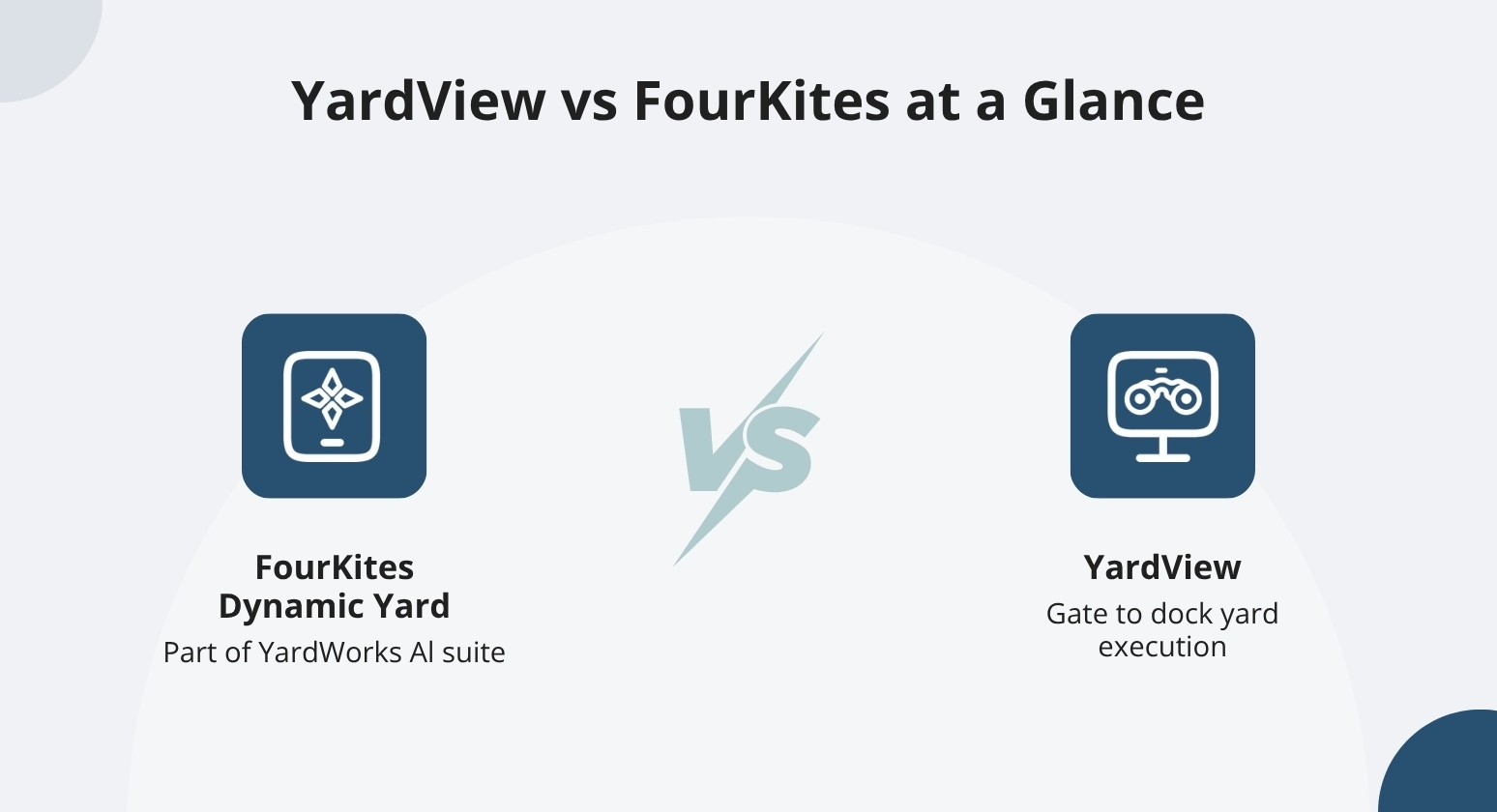
Buyer fit, editorially assessed: We think YardView merits evaluation when practical gate-to-dock control and staff adoption are the immediate priority. The people at the gate, yard, and dock need a tool they can learn in less than an hour, and that is exactly where we built this platform to perform. FourKites merits evaluation when connecting yard execution to its transportation visibility and scheduling ecosystem is central to how your operation runs.
Daily Yard Control and Driver Productivity
Here is what that shift looks like in practice, task by task. Trailer hunts can eat through hours before a single move gets made. We help you replace that search time with a software view of every asset across the yard. Dispatchers see location, status, and dwell. Spotters get a prioritized task list. The next move is always clear.
Trailer Visibility and Yard Accuracy
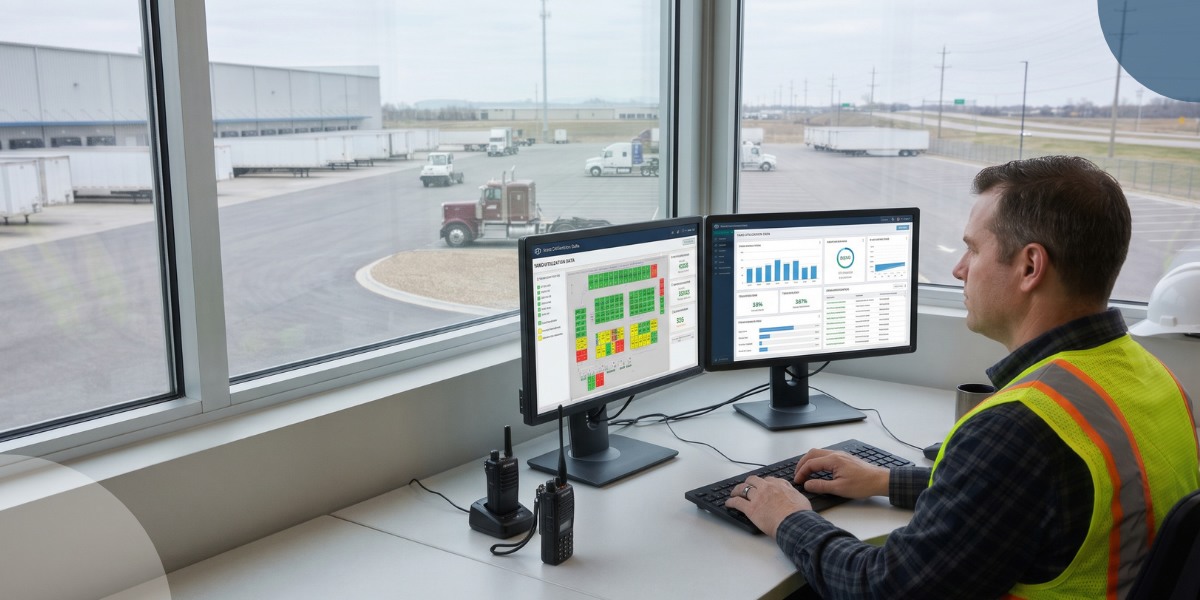
The drag-and-drop console shows every trailer across all docks, spots, lanes, and zones in one view. Each asset displays up to 20 data points at a glance, trailer ID, load status, carrier code, dwell time, and last verified location among them. That last-verified timestamp is what turns a software view into a decision tool. It tells you whether to trust the position or send a driver to check.
Watch: YardView's Drag-N-Drop yard map #YMS #supplychain
FourKites' Dynamic Yard also provides a real-time facility representation with trailer visibility. A live software view and continuous automated physical detection are different capabilities. Ask both vendors the same question: how does the deployment detect an unrecorded move, correct a misplaced trailer, and show when a location was last confirmed?
YardView's digital lot check lets drivers verify and correct positions from the in-cab device. That reduces the time spent on manual yard audits. It does not remove them entirely; compliance and exception checks still require human confirmation.
Watch: Faster Lot Checks: Confirm, Update, Done. #yardmanagement #supplychain #efficiency #saas
Spotter Dispatch and In-cab Workflows
We help you cut the time between assignment and movement with next-best-move recommendations delivered directly to the in-cab device. The workflow is straightforward: Accept, Start, Finish. If a driver skips a suggested task, the system requires a logged reason. That logged reason gives you an accountability trail that radio never produces.
FourKites' spotter task automation assigns tasks based on zone and availability. Its mobile workflows cover pull, spot, move, and hook steps. Both platforms replace voice-based dispatch with structured mobile task queues, but you'll learn more from watching those mechanics in a live demo than from any feature list.
It's worth asking both vendors to walk through a blocked move, an urgent-load reassignment, and a task completion under exception conditions. Find out what gets logged. Ask who gets notified. Then confirm how fast the next instruction reaches the driver.
Dock Scheduling and Driver Communication
Appointment coordination and post-arrival execution are two different jobs. Carriers need a way to book time at the dock without calling in. Dock coordinators need visibility into what's happening after a truck arrives, not just what was scheduled.
YardView lets carriers book their own appointments through a secure online portal. Dock calendars are configurable by time slot, dock type, and capacity rules, so coordinators spend less time fielding booking calls and more time managing the dock.
Appointments can also be created by connecting to your TMS, WMS, or ASN systems via API or EDI, or entered manually when needed.
Scheduling is only part of the picture. Trailers are tracked before, during, and after each visit, capturing wait times, dwell, and door activity from the moment a carrier arrives rather than from the booked appointment time.
That post-arrival data gives you the timestamped record you need to verify detention charges accurately when they come in.
For OTR drivers, SMS updates go directly to their phones from arrival through departure. There's no app to download and no need to leave the cab, drivers stay safely in the vehicle throughout their visit.
Some platforms, such as FourKites' YardWorks AI, offer AI scheduling assistants and ETA-driven appointment tools. Confirm which capabilities are included in your proposed package and how they connect to post-arrival yard execution.
Gate Automation, Safety, and Cargo Security
Gate control depends on speed and consistency under pressure. That pressure shows up when a carrier arrives late, an identifier is unreadable, or a seal number doesn't match what's recorded. Long gate lines, cab exits during check-in, and safety steps that depend on memory can all create exposure. The sub-sections below cover touchless arrivals and seal verification, the two places where consistent checks and controlled departures matter most.
If your gate process relies on memory and paper, those moments can let mismatched or unverified trailers through the gate.
That way, mismatches get flagged before a trailer leaves the gate.
Touchless Arrivals and Directed Parking
Touchless arrivals and directed parking reduce gate queues and cut the manual steps that slow every check-in. The right configuration depends on your site design, your carrier mix, and how often your team handles exceptions.
YardView's gate module supports a range of check-in methods, from QR codes on a driver's own device to kiosks, GPS geofencing, OCR cameras, and Fast Pass for trusted carriers. The comparison table above covers the full list.
What matters most in this section is what happens when a check-in doesn't go smoothly.
Directed parking rules tell each driver exactly where to go after check-in. If your gate handles high exception volume, that direction becomes even more important when a booking is missing or an identifier is unreadable.
FourKites AutoGate AI uses computer vision and mobile check-in to handle truck validation and driver guidance at arrival. The approach differs from YardView's configuration options, but both vendors are worth evaluating on the same exception scenarios.
Ask both vendors to show how their system handles a late carrier, a missing booking, an unreadable identifier, and an exception that needs escalation. Touchless doesn't mean unattended if your site generates frequent exceptions. Confirm the fallback process before committing to an unmanned configuration.
Safety Checks and Outbound Seal Verification
YardView builds configurable safety, inspection, compliance, and temperature prompts directly into driver move tasks. Compliance checks are built in. The system records answers automatically. The record holds up in an audit.
Blind Seal Verification addresses one of the most persistent risks in outbound operations, the wrong trailer leaving the yard. The system hides the stored seal number from the outbound user. The user must physically verify the seal and enter the correct number before release proceeds. A mismatch blocks the move.
That sequence can prevent the wrong trailer from leaving the yard. It may also reduce the risk of cargo loss before it becomes a claim.
If you're evaluating alternatives, it's worth verifying how they handle these same workflows. FourKites' Dynamic Yard Plus documentation references Product Protection audit history. It's worth requesting a direct demonstration of any equivalent safety-prompt workflow or blind-seal verification before assuming the capability is there. Neither platform guarantees regulatory compliance or prevents all theft.
Detention Costs and Network Performance
The yard doesn't show up as a line item until the invoices land. D&D fees, overtime, and excessive trailer dwell, which ties up assets and can trigger detention fees, build up between shifts, and by the time an invoice arrives, it's hard to know what's accurate. When charges arrive without records to verify them, you can't verify dwell times or dispute fees without timestamped arrival and departure records. Timestamped dwell and gate records let you verify charges and dispute fees before they're paid. The sub-sections below cover how each platform surfaces those costs before they reach the invoice.
Dwell Alerts and Fee Validation
Post-arrival dwell and live-driver detention are tracked continuously. The system sends alerts before free time expires, showing exact dwell duration at a specific gate or dock and flagging which trailer is approaching the threshold. That gives your team time to act before the carrier invoices the fee.
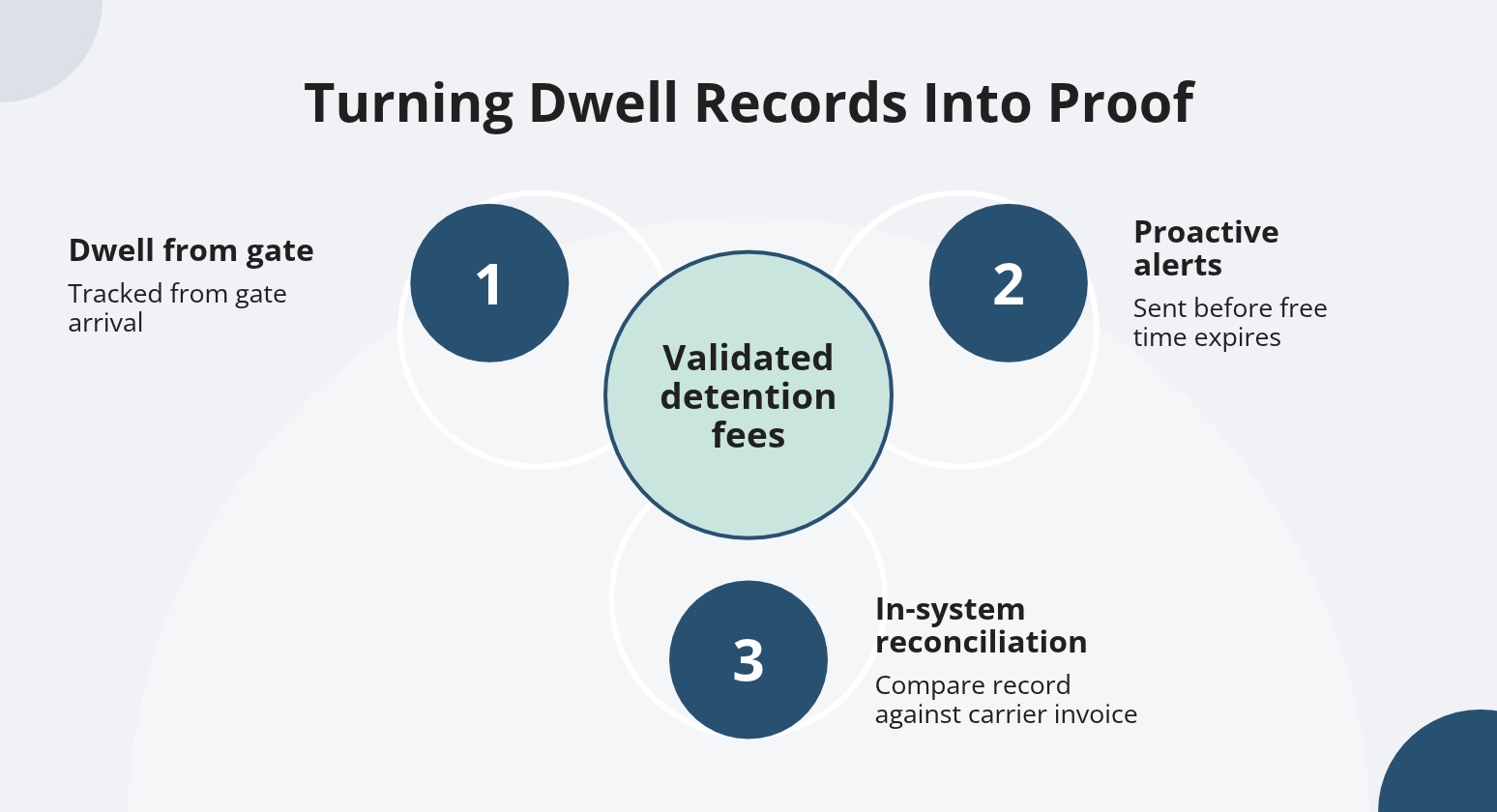
In-system reconciliation lets you compare the timestamped record against the carrier's invoice directly to confirm accuracy. If your operation is absorbing unexpected fees, that documented evidence may make financial sense to review before charges are finalized.
FourKites documents proactive detention monitoring within YardWorks. The capabilities can vary, though, so it's worth asking both vendors to show configurable free-time rules, escalation timing, and evidence export, since those workflows may not be included by default.
Multi-site Reporting and Operating Standards
When every site reports differently, leadership meetings run on anecdotes instead of numbers. We help you replace that with a single network view. Enterprise-wide dashboards show dwell, moves completed, task duration, dock utilization, and exceptions across every facility, with role-based access so each site sees what it needs without exposing what it shouldn't.
Scheduled reports deliver directly to the inbox, hourly, daily, weekly, or monthly, so facility benchmarking runs on a set schedule rather than waiting on a manual pull.
When evaluating FourKites, ask which trailer location and status across facilities, along with site and spotter-performance reporting layers, are included in your proposed package, the capabilities in YardWorks AI vary by tier.
A good evaluation asks both vendors to show consolidated reporting across multiple sites, local permission settings, and standardized workflows side by side. The governance balance executives need is one operating standard across the network with site-level autonomy for daily decisions, and that's the model our reporting is designed around.
Integrations, Hardware, and Rollout
Complex tech stacks that promise transformation and fail to deliver are a real risk for capital-constrained buyers. The dependencies that matter are which systems need to connect, what equipment already exists, and who owns each handoff. We work with what you have, and many savings come from software, not proprietary hardware.
WMS, TMS, and ERP Connectivity
The connection methods and named partners are summarized in the comparison table above. What's worth expanding here is the Integration Upload Wizard: for systems that can't support a direct connection, it accepts manually uploaded CSV files so every update still reaches the yard.
The practical test is straightforward: a load-complete event in your WMS should update the relevant yard workflow without duplicate entry. That single handoff may save administrative hours across every load completion.
FourKites connects through an API, and Dynamic Yard publishes webhooks for check-in, check-out, equipment updates, and move tasks. An available API or webhook confirms a connection path exists, but it doesn't mean the vendor has already built it or included it in a standard package.
Device and Gate Equipment Requirements
YardView runs on desktop computers, tablets, phones, in-cab devices, and gate kiosks. It requires no additional proprietary hardware when existing devices are leveraged, in most configurations. YardView connects to existing GPS units via API. Compatibility depends on the specific device and configuration.
FourKites' computer-vision gate capabilities may rely on additional infrastructure and mobile capabilities that may require additional equipment at the gate.
Before signing either contract, it's worth building a full equipment inventory. That inventory should include in-cab devices, cameras, connectivity, kiosks, and installation costs. Don't forget to include maintenance and replacement costs as well. If your existing devices meet the configuration requirements, the hardware costs for your site may be minimal.
Implementation, Training, and Support
We help you sequence integration work so the core yard system goes live first and WMS, TMS, or ERP connections follow without stalling the rollout.
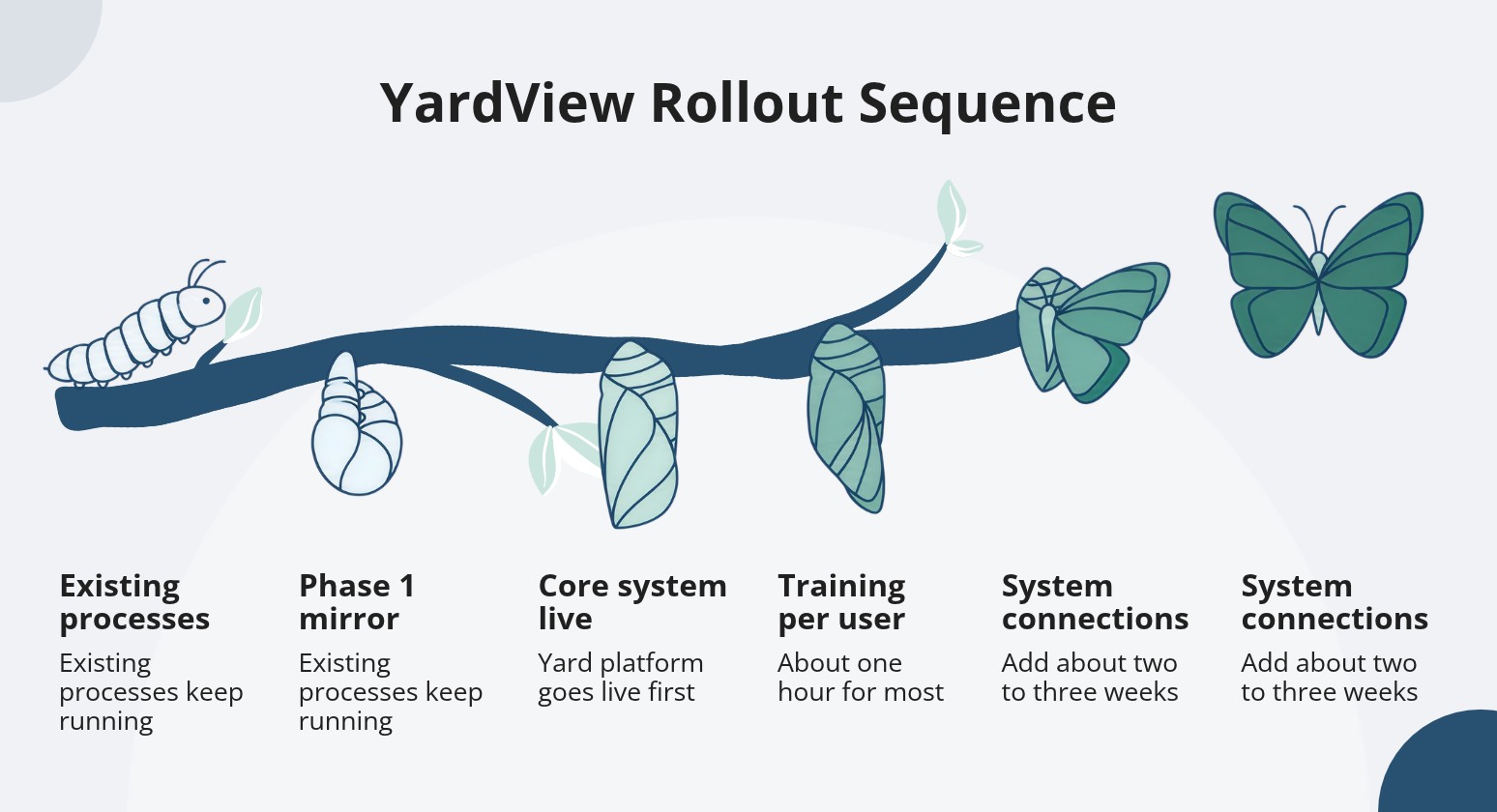
In Phase 1, we mirror your existing processes so the yard keeps running throughout. That matters if you can't afford downtime while a new system spins up.
Training takes about 1 hour for most users. If your yard sees frequent staff changes or varied technical literacy, getting new staff up to speed quickly becomes critical. Ask both vendors for contractual support coverage, escalation paths, training scope, and a site-specific launch plan. We staff support with real humans, around the clock.
Pricing and Expected Return
Published pricing and a signed contract can look very different once you get into scope details. We help you line up what's included, gate tracking, dock scheduling, audit trails, against the license fee, so you're not comparing apples to oranges.
If your yard is absorbing detention fees and manual workaround labor, the total cost of ownership may look very different than the sticker price suggests.
Subscription and Implementation Costs
Subscription and setup costs vary more than the headline numbers suggest. Itemized proposals matter because two quotes at the same monthly rate can differ sharply once modules, sites, system connections, equipment, setup, and support are spelled out separately. We help you request that breakdown before committing to either vendor.
The indicative figures in the comparison table above apply to operations with one to five hostlers per shift and 100 dock doors or fewer. For operations of this scale, indicative pricing in the market typically runs about $10,000 for setup and $1,500 to $3,000 per month.
There are no per-user or per-transaction limits. Subscriptions run monthly or quarterly with flexible start-and-stop terms, which may make financial sense for operations tied to service contracts or seasonal volumes.
FourKites pricing works differently. FourKites' help documentation identifies Dynamic Yard as a paid product and directs prospective buyers to their Customer Success Manager. No numerical rate appears in the cited documentation.
Building Your Facility's ROI Case
It helps to separate recurring savings from one-time improvements. Reduced detention fees may recur every month. A smaller leased trailer pool is typically a one-time reduction. Make sure you're not counting the same labor hours twice across categories.
Some customers have reported up to 95% reduction in detention and demurrage fees in specific deployments. That's a vendor-reported customer high-water mark, not a guaranteed average. Apply the same scrutiny to any other figure you use, reduced trailer pools, saved administrative hours, before building them into a proposal you have to defend.
Running a Demo That Matches Your Yard
Good demo setup starts with giving both vendors the same operating scenarios before either opens a slide deck. Score what you see against your actual facility requirements, not against a polished walkthrough built for a conference room audience. The decision should rest on what each platform does when the scenario gets messy.
If your operation handles high trailer volume with frequent exceptions, build real exceptions into the demo script, the messy ones, not five clean transactions. Watch how long it takes the dispatcher to identify the problem.
Watch whether the system shows the dispatcher which trailer to move next and which spotter to assign.
Pay attention to the driver and spotter side as much as the management console. How many steps does it take for a spotter to accept a task, complete it, and log an exception?
If the workflow requires multiple screens or radio confirmation to resolve a blocked move, that overhead slows throughput and ties up spotters across every shift.
Request the same demonstrations from both vendors. Where answers differ, the gap itself becomes a useful evaluation question rather than a point in either vendor's favour. The platform that handles your yard's real exceptions, including the messiest ones, will likely serve you best in practice.
Daily Facility-control Walkthrough
Start by giving both vendors the same five scenarios and see what happens.
If a carrier arrives late, it's worth asking how the system flags the exception and who owns the resolution. A good test here is whether the dispatcher has to intervene manually or whether directed parking rules guide the driver without a radio call.
A misplaced trailer can cost a team 30 to 60 minutes of hunting. It's worth asking each vendor how the system detects the discrepancy and how a driver corrects the position from the in-cab device.
When an urgent dock request hits, a key thing to observe is how quickly a prioritized task reaches the right spotter. YardView's next-best-move recommendations reduce the time between task assignment and trailer movement by surfacing the highest-priority job without a dispatcher call.
A blocked move is a separate test. It's worth asking each vendor what the system does when a spotter can't complete an assigned move and how that exception gets recorded.
For many operations, the seal mismatch scenario is the most critical to test. Compliance is enforced through Blind Seal Verification, the stored seal number stays hidden, and a mismatch blocks release before the trailer leaves. It's worth asking each vendor to walk through that exact workflow and show the record it creates.
Network and P&L Validation
A generic ROI headline rarely tells you what you need to know. A savings model built from your own detention invoices, spotter overtime, and leased trailer costs tells you whether the investment may make financial sense for your operation.
Good due diligence starts with getting rollout responsibilities in writing. It helps to know who owns each dependency, what the cutover plan looks like, and what support you can expect after go-live. Reporting examples that reflect your actual metrics are worth asking for.
Support commitments are easier to hold vendors to when they're confirmed before signing.
If your priority is reliable yard tracking and fast implementation, we'd welcome the chance to show you what YardView looks like running against your actual yard scenarios.
Put Real Yard Control Behind Every Comparison You Run
Comparing visibility platforms usually ends in the same frustration: the gate line keeps growing, trailers sit undetected for days, and no dashboard tells yard drivers what to move next.
YardView was built for exactly that gap, bringing gate, yard, and dock operations into one web-based platform that replaces clipboards, whiteboards, and spreadsheets with live, actionable detail across every asset on site.
- Drag-and-drop yard console: A graphical view of the entire operation showing up to 20 data points per asset, with color-coded rectangles for load status, cargo direction, carrier code, trailer ID, location, and dwell time.
- Move Assist with next best move: Automated recommendations based on backend mapping, proximity, urgency, and request age, with skip reasons captured from a predefined list to fuel continuous improvement.
- Flexible gate configurations: Touchless, manned, or unmanned setups supported by AI cameras for OCR, QR code scan from the driver's own device, kiosks, ELD integrations, GPS geofencing, and a Fast Pass lane for trusted carriers.
- Dock scheduling with four booking paths: Appointments created through ASN, TMS, or WMS integration, carrier self-service portals, system-triggered events, or manual entry, plus detention monitoring with threshold-based alerts.
- Analytics built for yard decisions: Reporting across inventory, facility and dock door dwell, trailer turn-time, carrier commitment, and detailed yard driver move metrics including requested, accepted, started, and finished moves.
When the comparison comes down to what happens inside the fence, YardView is ready to show you what you've been missing.