Key takeaways:
- Trailer pools sized by lease terms, past peak seasons, or habit carry idle units that keep billing, and about 31% of businesses still lack real time yard visibility.
- A low utilization number does not prove weak demand, since manual inefficiencies at 39.18% and congestion at 36.26% inflate dwell while freight volume stays unchanged.
- YardView records every gate, yard, and dock transaction with what happened, when, and who did it, so a 90 day baseline rests on continuous history rather than manual snapshots.
- A defensible cut sets peak day need plus a deliberate surge reserve against current pool size, then holds a quarterly re-review because demand shifts and the pool should follow.
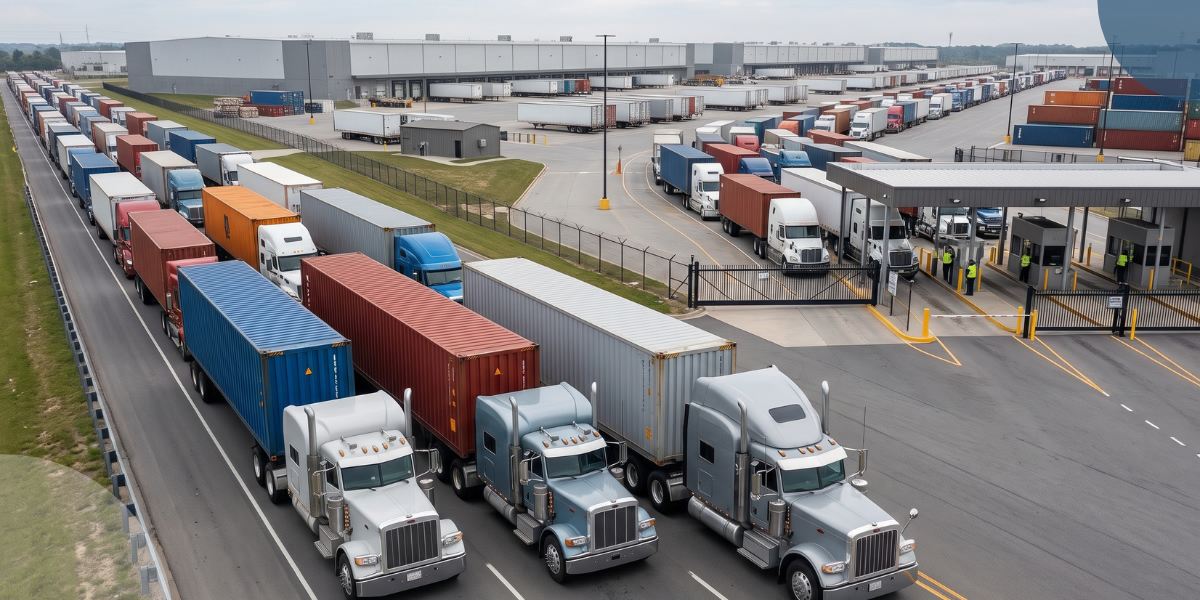
Many trailer pools are sized by lease terms, past peak seasons, or habit. Meanwhile, the yard often holds little reliable data on how many trailers are moving, sitting, or ready to dispatch.
Without that data, it's hard to tell whether the pool is too large, too small, or just poorly managed. Extra trailers can show up in lease costs and yard congestion.
This article will help you use yard utilization data to decide whether and how to right-size the fleet, and to back that decision with evidence.
What Is Trailer Fleet Right-Sizing?
Right-sizing means matching the number and mix of trailers to the work they do. The call comes from yard data, not gut feel. It isn't the same as downsizing. Sometimes it means adding units, shifting them between sites, or retiring the ones that don't earn their keep.
A pool is over-leased when it's bigger than peak-day need plus a deliberate surge reserve. Those extra units sit idle, and the lease bills keep coming.
Trailers parked as storage at customer sites lose money too. They can't haul another load. Drop-trailer pools tie up capital and only pay off when trailers are loaded and unloaded promptly.
Where Yard Utilization Data Comes From
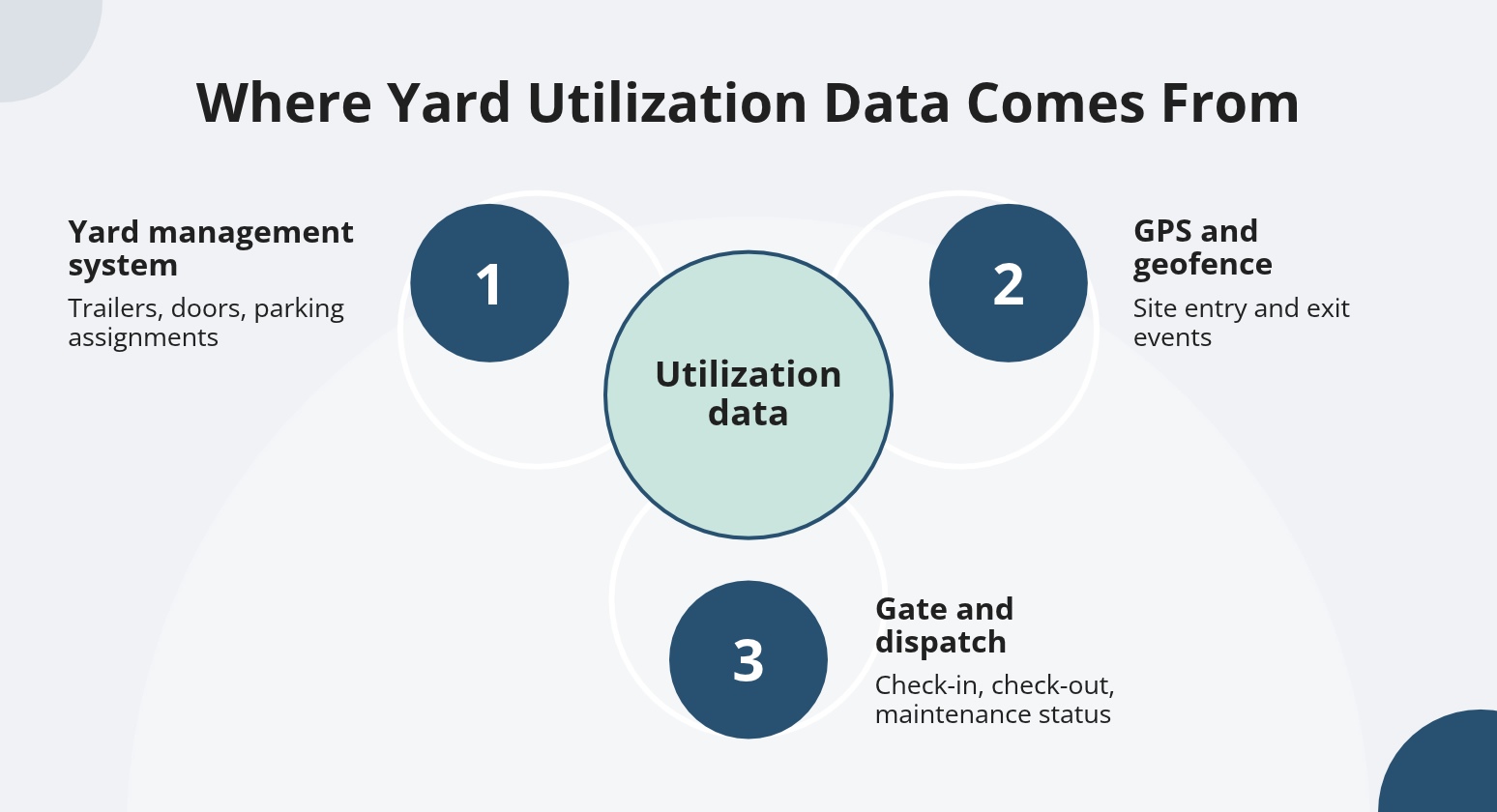
Utilization numbers come from a handful of sources. A yard management system tracks trailers, door and parking assignments, and trailer utilization. GPS and geofence events show when a unit enters or leaves a site. Gate check-in and check-out, dispatch records, and maintenance status fill in the rest.
At a minimum, you need:
- Trailer ID
- Location
- Loaded or empty status
- Timestamps for each event
- Available or out-of-service flag
Quality is where it breaks. Missed gate scans, duplicate IDs, and trailers that never get a status update all leave holes. Most businesses lack real-time yard visibility, so many fleets need to fix capture first.
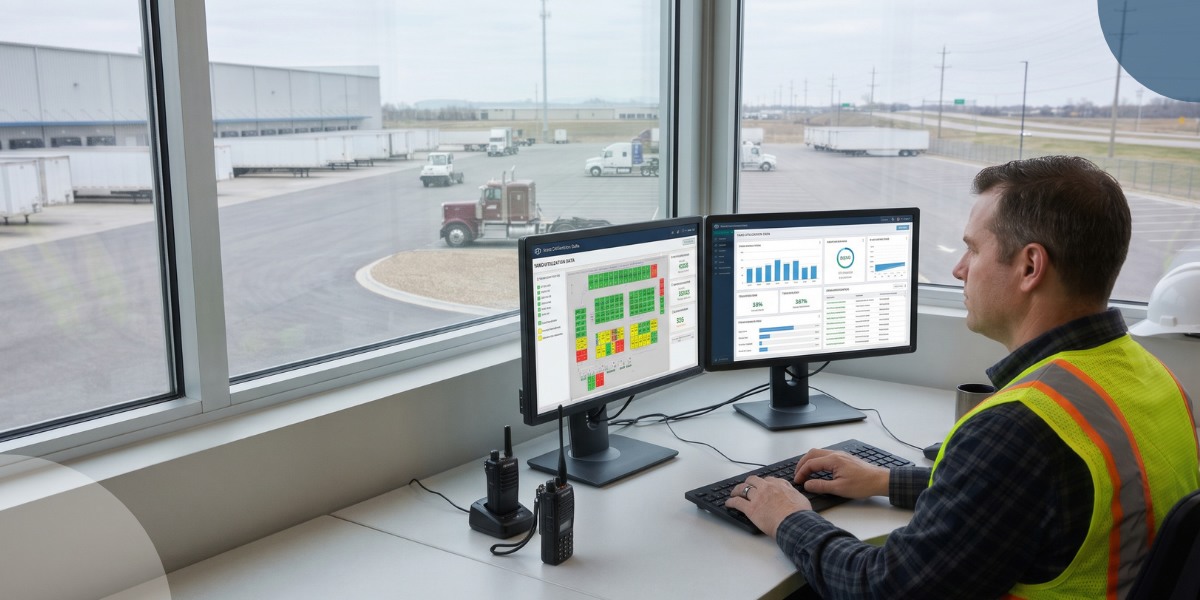
YardView stores every gate, yard, and dock transaction with what happened, when, and who did it. It tracks each trailer before, during, and after its visit, so the record doesn't depend on snapshots or manual updates.
Unique Trailer Keys for Owned and Rented Trailers Without a SCAC
Utilization and dwell figures only hold up if every trailer has one stable identity. When an ID is duplicated or changes, one trailer's history splits across several records. Each record then looks like a different, lightly used unit.
Owned and leased trailers usually carry a SCAC-prefixed number. Rented or pooled units from other providers often don't. A bare number like 5021 can then collide with another trailer.
A composite key fixes this. Build it from:
- Owner or lessor code
- The trailer number as painted
- A type or plate identifier
Add a source flag for owned, leased, or short-term rental. Then store the key against the lease or rental agreement, so each unit ties to its cost, term, and renewal date.
Use the same key in the YMS, gate scans, GPS feeds, and maintenance records. Then reconcile it against a physical yard check.
Trailer Utilization KPIs to Track
Once every trailer has one stable ID, a few simple numbers can show whether each unit earns its place. Some track time. Others track movement. Together they separate trailers that work from trailers that just sit.
Start with how long a trailer is in use, then check whether it's ready to roll.
Time-Based Utilization, Dwell Time and Turns
Time-based utilization is days in productive use divided by days available, shown as a percentage. Say a trailer was used on 18 of 30 available days in a month. That's 18 ÷ 30, or 60% utilization.
Dwell time is how long a trailer sits in a yard or at a customer between moves. Track the average, and look at the outliers too. A few trailers parked for weeks can hide behind a healthy average.
Measure loaded dwell and empty dwell separately, because they point to different causes.
Turns are the number of loads a trailer completes per week or month. Compare turns by site and lane. Big gaps between yards often show where units are piling up and where they're short.
The loaded-to-empty move ratio shows how much movement earns revenue. If empty moves outnumber loaded ones, trailers are being repositioned, not put to work.
Low utilization, long dwell and few turns, held over a full operating cycle, mark an over-leased candidate. One weak number alone doesn't.
Dispatch-Ready Availability
Availability is the count of trailers that are road-ready right now. Leave out any unit waiting on repair or inspection. A yard can list 200 trailers and have far fewer it could send out today.
That gap matters. A high headcount can hide low availability, and that can lead to buying trailers the fleet doesn't need. Read availability next to utilization. If both are low, demand may be soft. If availability is low and a maintenance backlog is growing, the units aren't idle by choice.
Demand vs. Capacity: What Your Utilization Numbers Mean
A utilization number tells you what's happening, not why. The same low figure can come from lost demand, a slow yard, or poor tracking. A high figure can signal risk instead of strength. Diagnose the cause first, then decide whether to add or cut trailers.
When Low Utilization Is a Demand Problem
Sometimes idle trailers just mean there's less freight. A lost lane, a seasonal trough, or a shrinking customer can leave units sitting in every yard, not just one.
When utilization stays low across sites for several months, those units become retirement candidates. Before acting, separate seasonal dips from structural decline. Compare the same months across years. A slow winter isn't a lost account.
How to Right-Size Your Trailer Fleet Using Yard Utilization Data
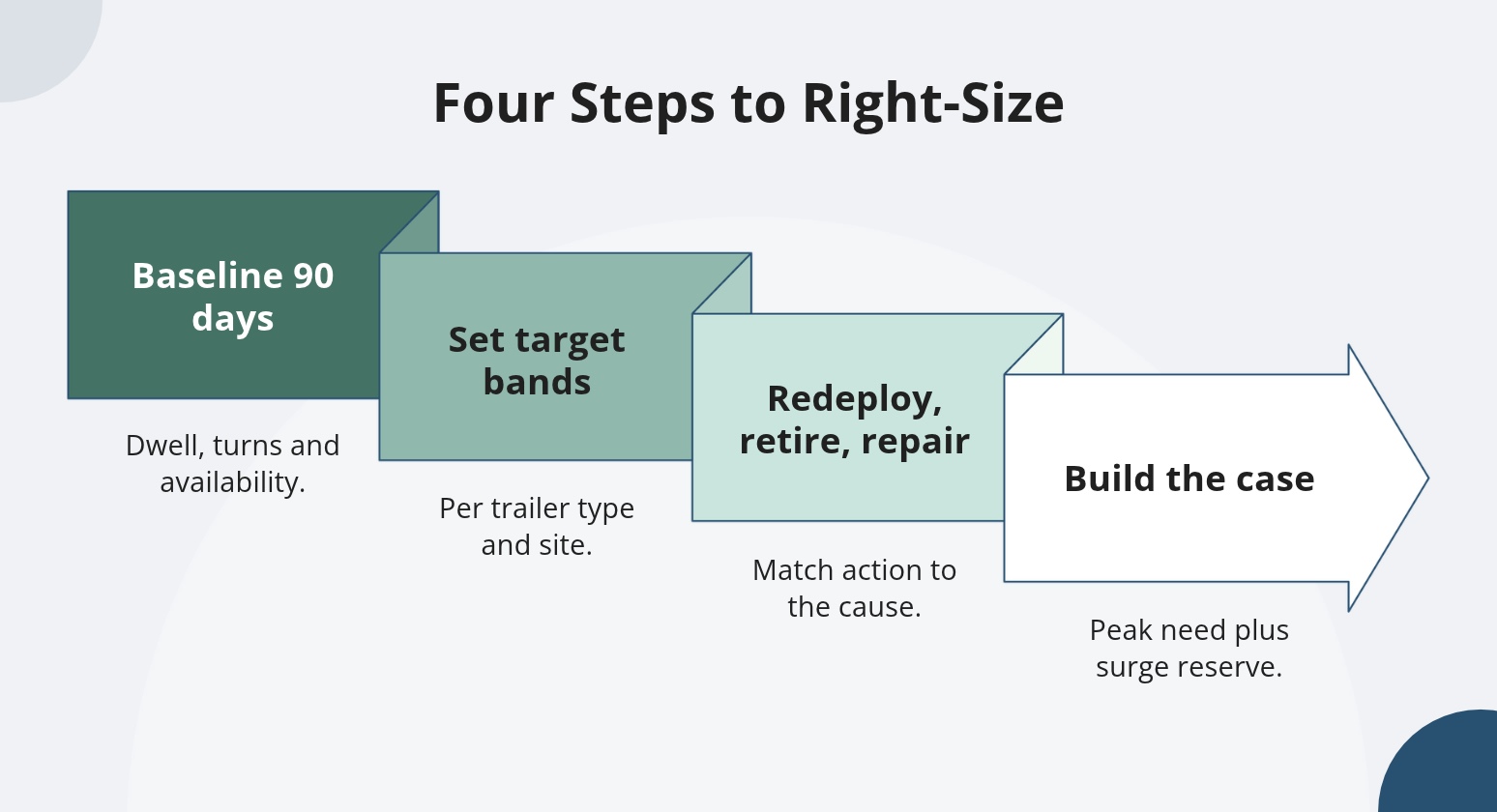
Once you know what the numbers mean, the next job is turning them into fleet decisions. A simple four-step process can do that. It starts with a baseline, moves through targets and decisions, and ends with a case that holds up. Then it repeats as an ongoing review.
Baseline the Yard over 90 Days
Start with a 90-day window. That gives you at least one full operating cycle, so a slow week or a busy one doesn't skew the picture. Then work through this list:
- Capture dwell, turns and availability for every unit.
- Walk the yard and reconcile system records with the trailers on site.
- Match each unit's key to its lease or ownership record, with term and renewal date.
- Flag the peak-day trailer need for each site.
Don't set targets yet. Just collect the facts.
YardView Analytics provides yard snapshots by date, facility dwell and turn-time reports, and inventory by carrier. Scheduled email delivery keeps those reports arriving throughout the baseline window.
Set Target Bands and Action Thresholds
The baseline gives you facts. Now turn them into rules your team can apply the same way every time.
Start with a target utilization band for each trailer type and each site. A reefer pool and a dry van pool don't work the same way, and neither do two yards with different lanes. One fleet-wide number hides those differences.
Next, set review triggers. Use placeholders you can tune, such as dwell above X days or utilization below Y%. A trailer that crosses either line gets a review.
Finally, hold a separate surge reserve. Peak days then won't set the size of the whole fleet.
Decide: Redeploy, Retire, or Repair
Once the thresholds flag a unit, there are three choices. Each one fits a different cause.
Redeploy idle units. If a yard shows low turns while another site is short of trailers, move the units to where the work is.
Retire units with persistently low utilization and high maintenance cost. Sell them or send them back off-lease. Start with the leases that renew soonest, since those are the easiest to exit.
Repair out-of-service units before you buy or lease new ones. Getting a sidelined trailer back in the pool is often cheaper than adding another.
Whatever you keep must still meet federal equipment rules for brakes, lamps and coupling devices.
Build the Defensible Case for Cutting Pool Size
A smaller pool is easier to approve when the numbers are laid out plainly. Build the case in four parts.
First, show idle capital unit by unit. Use the baseline to list each trailer that isn't turning, along with its lease or ownership cost. A named list is harder to argue with than a fleet-wide average.
Second, set peak-day need plus the surge reserve against the current pool size. The gap between the two is the proposed cut, and it rests on evidence.
Third, compare the capacity freed by cutting dwell with the cost of new trailers. Faster turns can often cover growth without adding units.
Fourth, add a line for detention recovered from customers who hold trailers too long.
Then put a quarterly re-review on the calendar. Demand changes, and the pool should keep pace.
Shared Visibility: Exposing Trailer Bloat Before Lease Renewal
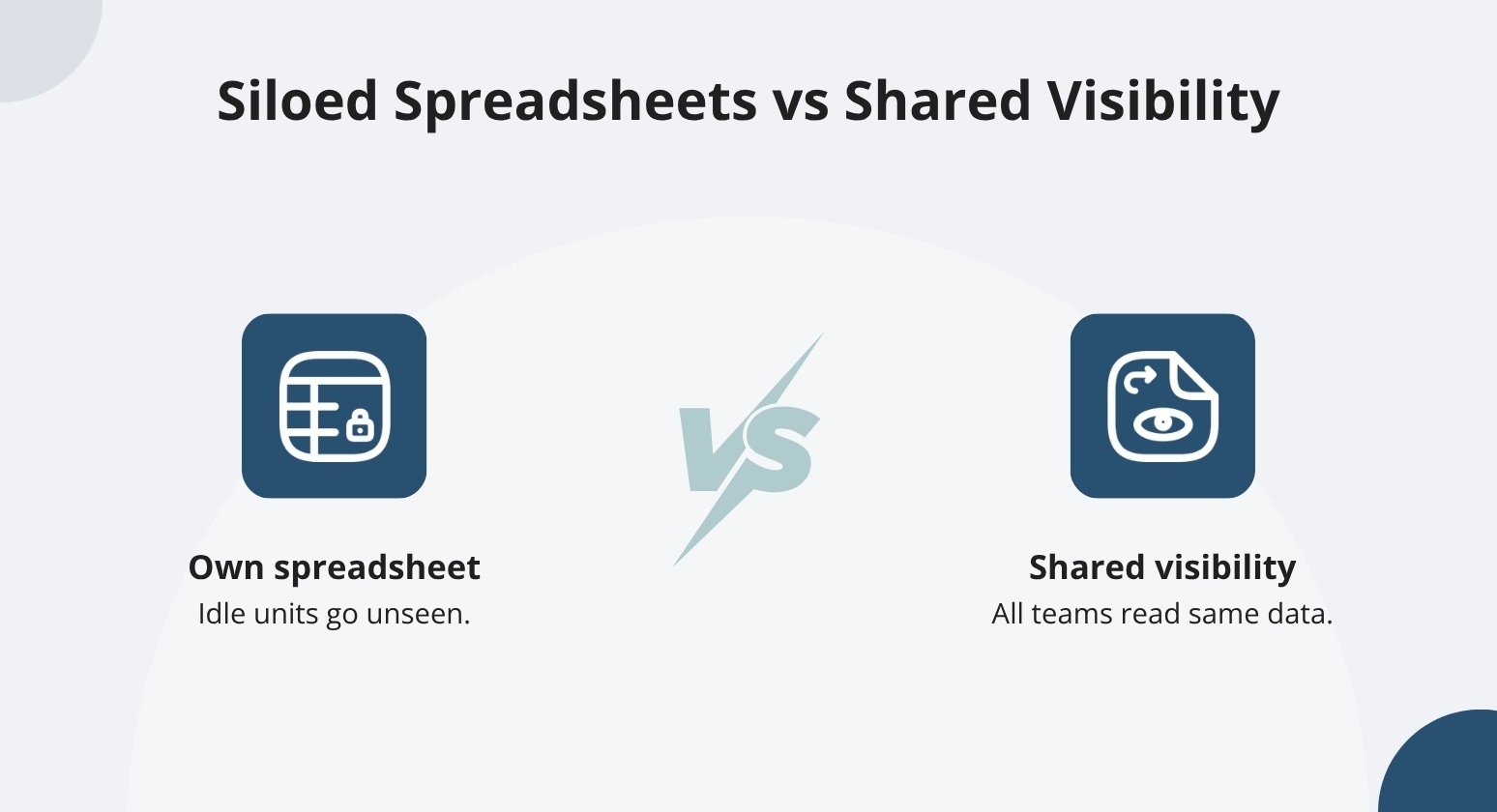
Trailer bloat tends to hide when each team reads its own spreadsheet. Shared visibility means operations, fleet, finance and procurement all read the same yard and trailer data. Without it, idle units go unseen.
The tools are already common. Companies using a YMS report more accurate operations, with trailers at the right door and time. INFORM found that 59% of surveyed yards already use yard management software.
Put that data to work before renewal. Review the shared dashboard against lease end dates 90 to 180 days ahead. Idle units can then be off-leased or renegotiated. Give procurement the utilization evidence to negotiate pool size and terms, not just rates.
Using Free Time and Detention to Recover Drop-Trailer Capacity
In a drop-trailer survey, 85% of carriers allow 1 to 3 days of free time, with a median of about 2 days. When detention is charged, it averages $61.70 a day, with a median of $64. About 74% of carriers adjust charges by customer volume or profitability.
Rates agreed in RFPs can leave enforcement weak. Detention rises an average of 16.36% for continued underutilization.
Yard dwell data shows which customers hold trailers longest. Use it to renegotiate their terms.
YardView's detention and demurrage module tracks dwell in real time and applies configurable free-day and escalation rules. It reports detention by carrier and keeps timestamped audit trails, so charges can be documented and checked.
Common Mistakes When Right-Sizing a Trailer Fleet
Right-sizing goes wrong in a few familiar ways. Each one looks reasonable on a spreadsheet.
- Counting yard shuttles and repositioning as productive use. Those moves burn time but earn no revenue.
- Measuring utilization without maintenance context. Out-of-service units then look like excess.
- Fixing one yard and creating shortages elsewhere. A cut that helps one site can leave another short.
- Sizing from a short or seasonal window. A slow month can make a healthy pool look bloated.
- Ignoring adoption barriers. Internal capacity (48%) and IT integration (27%) are common hurdles, and plans stall without a way past them.
Put Real Utilization Numbers Behind Every Trailer Decision
Cutting or redeploying a trailer pool on gut feel is how fleets end up short on peak days or paying for steel that never moves. The sizing call stays yours, but it should rest on trailer-level evidence of what sat idle, what dwelled, and what was ready to dispatch.
YardView, a product of Cypress Inland Corporation, supplies that record across gate, yard, and dock operations so the baseline you build from reflects what happened in the yard.
- Full transaction history: YardView stores every yard transaction with an audit trail of what happened, when, and who did it, rather than only snapshot data.
- Dwell and turn-time analytics: Reports covering current inventory, inventory by contents, carrier, and FIFO, yard capacity, yard snapshot by date, SCAC detail, gate activity, dock and trailer turn-time, facility dwell, and dock door dwell.
- Enterprise-wide pool view: Network analytics show empties, loaded units, and load types per facility, plus views by carrier, out-of-service and damaged units, and transfer reports.
- Drag-and-drop visibility console: Each asset appears as a color-coded rectangle showing load status, cargo direction, carrier code, trailer ID, location, and dwell time, alongside live inventory counts and open space availability.
- Verified yard counts: The lot check and yard audit function lets drivers confirm locations, update positions, and flag missing assets from an in-cab device, with customers reporting up to 75% faster audits than manual lot checks.
Explore YardView Explore YardView to see how utilization data builds the case for a right-sized trailer pool.
Frequently Asked Questions
What Is the 60/40 Rule for Trailers?
The 60/40 rule means placing about 60% of the load weight ahead of the trailer axle and 40% behind it. That balance keeps towing stable and helps prevent sway. Cargo also has to be secured so it can't shift forward, rearward or sideways in transit.
How Do You Calculate Trailer Capacity?
Payload capacity is the gross vehicle weight rating (GVWR) minus the trailer's empty, or curb, weight. The result is the most cargo the trailer can carry. Axle ratings and tire ratings matter too.
The lowest rating among the GVWR, axles and tires sets the real limit, so check each one before you load.
How Much Weight Can You Put on a 7,000 GVWR Trailer?
Allowable cargo weight is 7,000 lb minus the trailer's empty weight. A trailer that weighs 2,000 lb empty can carry up to 5,000 lb. Confirm the empty weight from the VIN plate, or weigh the trailer on a scale, rather than relying on a guess.
How Do I Measure the Size of a Utility Trailer?
Measure the deck length and the usable width between the fenders or rails, not the overall dimensions. That's the space your cargo can use. Note the side height and the tongue length separately. Side height affects what you can load, and tongue length affects where the trailer fits when parked.