Key takeaways:
- Recording an arrival and authorizing entry are two separate decisions, and treating them as one is where gate labor and detention fees start accumulating long before anyone sees an invoice.
- Every gate arrival record needs eight fields: actual arrival time, carrier, tractor and trailer identifiers, visit purpose, exception reason, and the responsible owner who resolves missing data.
- Inventing a PO number or entering a dummy ASN to close a record corrupts the audit trail, so YardView marks missing fields as pending and syncs those statuses to connected WMS and TMS systems.
- Gate congestion costs surface separately in labor reports, carrier invoices, and overtime records, so no single line item ever reveals what an unscheduled arrival cost the facility.
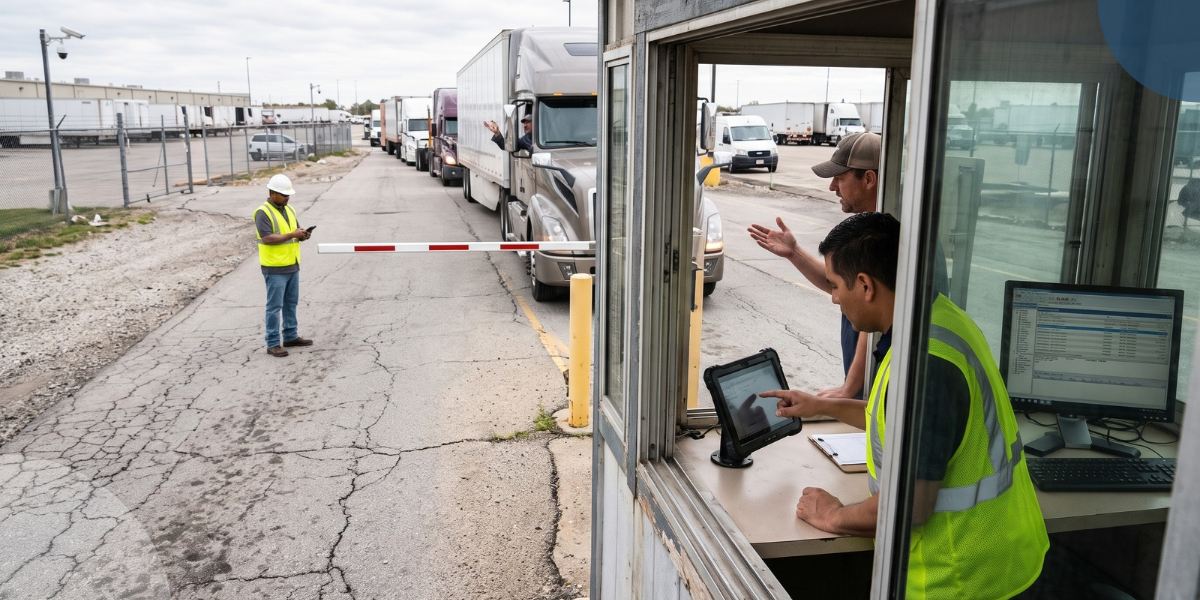
At a high-volume DC, trucks can show up daily without an appointment, an ASN, or enough information to match the load. The line behind them grows. OTR drivers start asking where to go. Most experienced operators won't hold every truck until someone fills in every field.
Capture a traceable arrival, verify what safe admission requires, then route the missing information to the person who owns it.
Recording an arrival and authorizing entry are two separate decisions. Treating them as one is where gate labor and detention fees start adding up. Often long before anyone sees an invoice.
We help you separate what you know at arrival from what's still missing, including which trucks arrived without complete ASNs and who owns the outstanding documentation.
That accurate visibility into arrival status and missing documentation is what gate management and yard KPI tracking are built to provide, replacing the clipboards, radios, and guesswork that legacy gate processes still run on.
Here's how to sort exceptions, capture what matters, and get drivers moving once they're approved.
No Appointment vs. Missing Paperwork: Two Different Problems
Three arrivals look identical at the gate but require different responses:
- An unscheduled truck with a known carrier and PO is an identifiable shipment.
- A scheduled truck missing paperwork is a documentation gap.
- An arrival with no verifiable identity or destination is a different problem entirely.
Give each its own exception reason. A guard who can select the right category routes the issue immediately. That keeps the line moving without requiring a diagnosis at the gatehouse.
Who Decides: Admit, Hold, or Escalate
Good gate decisions usually come down to three calls: admit, hold, or escalate. Admit when required safety checks are complete and receiving or dispatch has authorized the load. Hold the truck in a designated safe location when authorization is pending, but identity and safety checks pass. Escalate, or follow your site's refusal procedure, when you can't resolve identity, authorization, or safety.
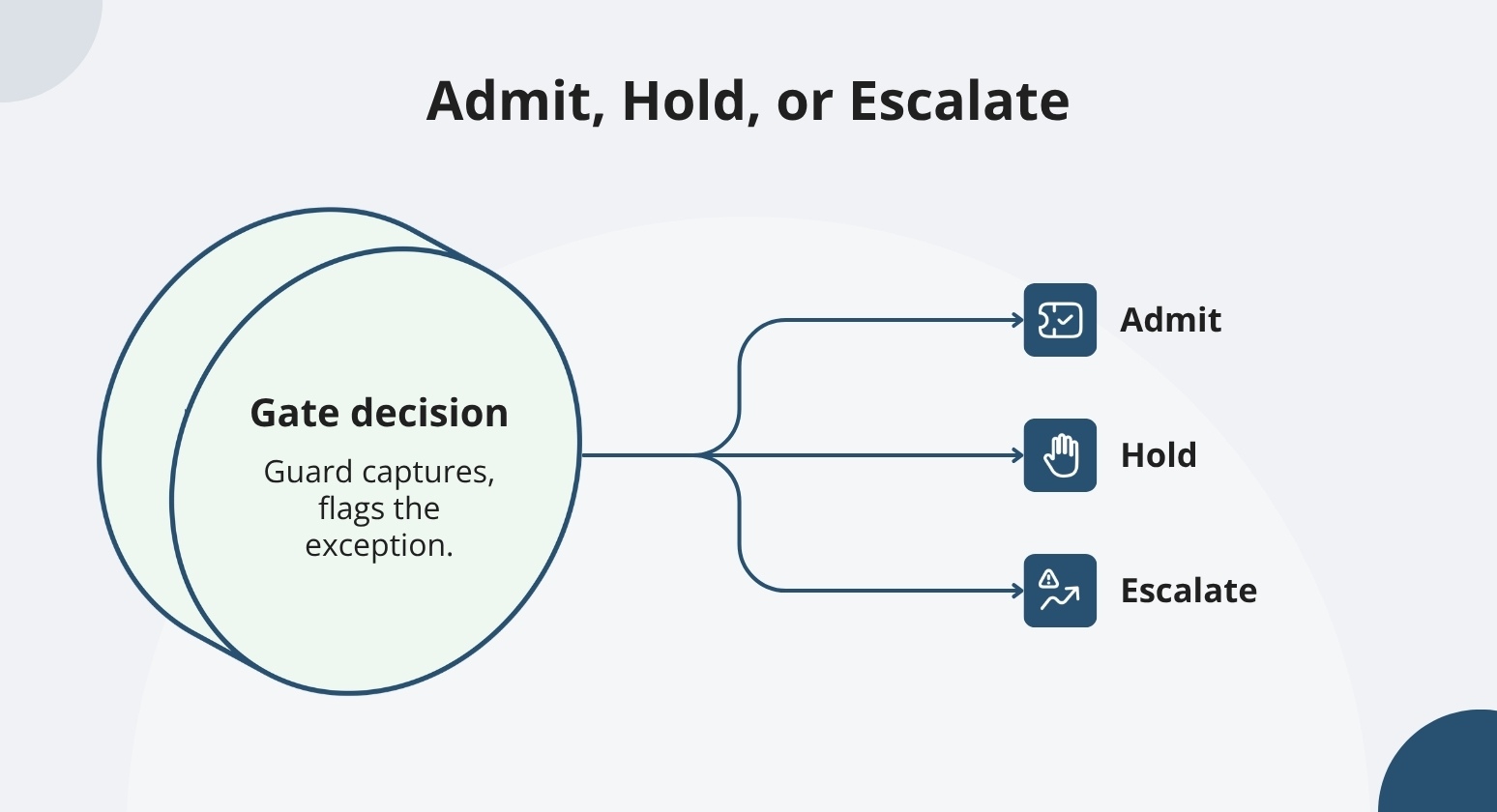
Receiving or dispatch owns approval; the guard records the visit and flags the exception reason.
A late ASN is a missing document, not a security concern. Keep that distinct from a failed identity or security check; they require different responses.
When gate staff owns this decision alone, it can put too much on the guard without the right information. Receiving or dispatch should handle approval. The guard captures the visit and flags the exception. The team with context makes the decision.
We help you build this into the workflow. YardView records directed parking assignments and surfaces built-in safety and compliance prompts, reducing reliance on memory or paper forms. These prompts support your facility policy rather than replace it.
The Minimum Arrival Record That Keeps the Line Moving
Eight fields belong in every gate arrival record: actual arrival time, carrier, driver contact method, tractor and trailer identifiers, visit purpose, available PO or shipment reference, exception reason, and responsible owner.
These fields capture the visit. They don't authorize entry or assign a dock; that separation lets a truck clear the gate now and resolve the paperwork later.
Together, those fields produce a traceable visit history showing exactly who processed the arrival, when, and which exception they flagged.
Capture What's Known Now, Confirm the Rest Later
Not every field needs an answer before the truck clears the gate.
Separate information into three categories: verified data confirmed against a system or document, driver-provided data awaiting confirmation, and missing information. Mark missing fields as pending. Inventing a PO number, entering a dummy ASN, or guessing a quantity to close the record corrupts the audit trail.
Those shortcuts resurface as disputes weeks later.
Shipment details like PO references, commodity descriptions, and quantities can often be completed later, depending on your site's policy. Which fields count as deferrable is a configuration decision you set up during onboarding.
YardView's Phase 1 mirrors your existing process before any integration work begins, so it validates configurable fields and pending-data statuses against how your yard runs.
When your yard connects to a WMS, TMS, or ERP, pending statuses sync with those downstream systems. No orphaned records are created.
Two Ways In: QR Self-check-in and Guard-assisted Tablets
Once you know what to capture, the next question is how drivers and guards enter it. Your gate can handle check-ins two ways:
- QR self-check-in for drivers with a booking.
- A Tablet-assisted flow for gate staff to handle exceptions without disrupting one shared process.
Straightforward arrivals move faster when drivers can check themselves in. Drivers with a booking scan a QR code from their own device. No app to download. That also means drivers can stay in the cab, which reduces physical movement in the yard during arrival.
Watch: "That was quick!" — Driver reacts to automated gate check-in #yardmanagement #supplychain #saas
Shows the exact QR self-check-in process being described step by step.
YardView supports this route with QR check-in and mobile gate access.
QR Check-In with a No-Appointment Fallback
Booked drivers follow a pre-issued QR code. Unbooked drivers follow a clearly marked assistance route if you configure it during setup. That two-route structure keeps both arrivals moving and keeps both on the record.
When a driver arrives with a confirmed appointment, their QR code does the work. They scan on arrival. Their visit details appear at the gate instantly, and direction follows without a manual lookup. No repeated questions.
When drivers show up without a booking or a code, the assistance route captures whatever information is available. It then alerts the responsible team, so the arrival becomes a tracked visit rather than an undocumented conversation.
A Short, Repeatable Tablet Flow for Gate Staff
Good setup starts with a five-step sequence guards can follow without thinking: find or create the visit, capture the minimum required information, select the exception reason, request a decision from receiving or dispatch, and communicate the next step to the driver.
Known details should pre-fill automatically. Guards enter each reference once. No repeated typing, no hunting for the right field.
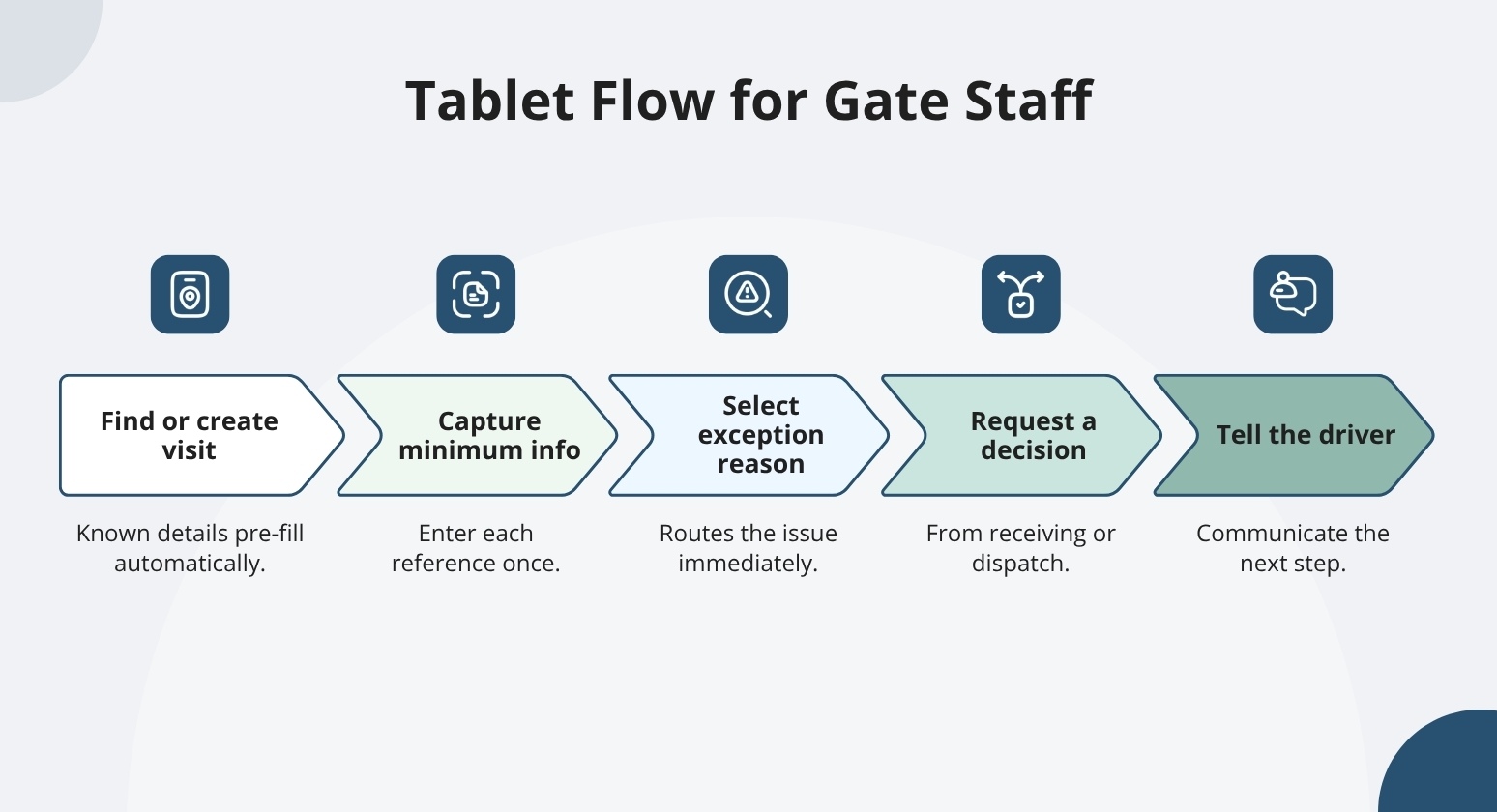
A repeatable sequence guards can follow, so exception arrivals still clear the gate as logged visits.
When a driver doesn't have a working phone, staff handle the check-in directly on the tablet. That visit still gets logged. If the system goes offline, a documented fallback keeps gate check-ins moving and exceptions recorded until connectivity returns.
The specific screen sequence above is a design recommendation to confirm during your configuration phase. YardView's web-based interface runs on existing smartphones and tablets with no additional proprietary hardware required.
Closing the Record When the ASN Shows Up Late
The check-in captures what's available on arrival, but sometimes the ASN arrives after the truck. A PO confirms a purchase order exists. An ASN confirms what's on the truck. They serve different purposes, and a truck arriving with one but not the other is an exception scenario your team should have a defined process for.
YardView connects to your TMS or WMS via API to read ASNs and populate appointment and check-in data. If your operation handles late ASNs this way, we help you keep the visit record open and traceable until the missing documentation arrives.
One Visit Record from Gate to Departure
When the ASN arrives after the truck, attach the shipment details to the original visit record. Creating a duplicate arrival or resetting the dwell clock hides actual dwell time and makes it impossible to verify detention charges accurately; keep one original and update it in place.
Match on what's available: carrier identity, equipment number, and receiving confirmation. Relying on a single identifier leaves the match vulnerable when data is incomplete.
We help you keep one clean record from gate to departure. We track every trailer before, during, and after the visit. YardView logs every transaction, original arrival time, who updated the record, and when, so your billing team has the full picture.
A good practice is to handle late-ASN updates with a defined validation workflow in YardView and your connected systems. The visit record gives your billing team a timestamped, auditable trail they can point to during any dispute.
When the ASN and the PO Don't Agree
When a mismatch surfaces between the ASN and the PO, trailer, or expected destination, flag the discrepancy right away. Assign ownership to receiving or dispatch. Keep the hold in place until that owner approves a resolution.
A visible exception queue can keep the conflict from disappearing into the yard. Define site-specific response targets so escalation is automatic when a window closes. When the assigned owner doesn't respond within that window, escalate. The trailer's dwell should be tracked and owned, not invisible.
YardView's exception notifications route the discrepancy to the right person and connect to your WMS or TMS via API. That connection reduces the manual calls and emails needed to confirm whether the right trailer is at the right dock. It does not resolve mismatches on its own. Human judgment still resolves the mismatch.
Turn Unscheduled Arrivals into Controlled, Trackable Gate Events with YardView
Trucks that roll up without an appointment or with half the paperwork missing stall the gate, push drivers into holding patterns, and leave the yard team guessing about what just arrived and where it should go.
YardView replaces the clipboard scramble with timestamped digital gate transactions, flexible check-in paths, and real-time yard visibility, so an unexpected arrival becomes a recorded, directed event instead of a bottleneck:
- Flexible Gate Configurations: Check-in runs through manned, unmanned, or touchless gates, with AI cameras for OCR, kiosk integration, ELD integration, and GPS geofencing to capture arrival data even when the driver arrives empty-handed.
- QR Code and SMS Driver Handling: Drivers scan a QR code on their device to enter arrival information, and SMS messaging guides them through the visit, with no app download required.
- Fast Pass for Trusted Carriers: Known carriers move through streamlined access while exception arrivals get the attention they need at the gate.
- Directed Parking and Move Rules: Assets are systematically assigned to open yard locations, with Move Assist recommending the next best move based on mapping, proximity, urgency, and request age.
- Gate Activity Analytics: Inbound and outbound gate activity, carrier commitment, facility dwell, and trailer turn-time reports show exactly how unscheduled arrivals affect throughput over time.
Explore how YardView brings order to the gate, whether every truck is on the schedule or not.