Key takeaways:
- Yards running on radio calls and manual walks lose the trailer count between walks, leaving dwell time, dock status and detention exposure visible only to whoever last walked the lot.
- YardView has built yard execution software since 1998, while Kaleris sells yard management as part of a wider supply chain portfolio, and that difference shows up in cost, hardware requirements, and rollout effort.
- YardView publishes a four- to six-week implementation timeline and roughly one hour of user training and connects to WMS, TMS and ERP systems through REST API, SOAP, flat file, SFTP and EDI.
- Vendor ROI figures from both platforms are self-reported and not a head-to-head test, so map each claim to a measurable lever such as idle trailers, detention invoices and weekly yard walk labor.
Two buyers often sit in the same yard management evaluation. One reads the yard every morning and wants trailers moving faster. The other owns facility P&L and wants numbers that hold up across sites. YardView and Kaleris can both serve that conversation, so the useful question is fit.
Positioning matters here. YardView has focused on yard operations since 1998, positioning itself as purpose-built for yard execution rather than a bolt-on to a larger stack: "Simple, Smart Yard Management Since 1998."
Kaleris offers yard management as part of a wider supply chain portfolio, with configurable workflows and tracking options that use connected sensors and readers. Those are different starting points. The difference shows up in cost, hardware requirements, and rollout effort.
What follows compares day-to-day execution, automation, system connections, deployment, reporting, and each vendor's performance claims. Use it to judge which platform fits your operation.
YardView and Kaleris at a Glance
YardView was built from the ground up for yard execution. It covers gate management, driver tasking, dock scheduling, and dwell tracking. That focus goes back nearly three decades.
Kaleris describes a configurable yard management system with asset visibility, event-triggered workflows, and IoT-enabled tracking options.
Here are the differences at a glance:
YardView's Real-time Yard Execution
We help you see every trailer in your yard, its status, location, load type, and how long it's been sitting, from a single drag-and-drop yard map that updates as moves happen.
Color-coded assets display up to 20 data points at a glance, so you know which dock doors are occupied, which trailers have been idle for hours, and which moves need to happen next.
Watch: YardView's Drag-N-Drop yard map #YMS #supplychain
Shows the exact color-coded drag-and-drop yard map described in this sentence.
Visibility alone doesn't move trailers. That's why YardView's in-cab tasking delivers a prioritized next-best-move directly to the driver's device. When drivers wait for radio instructions for their next assignment, that wait disappears. The Accept → Start → Finish workflow gives every spotter a clear sequence to follow.
Automated safety and inspection prompts fire at the right moment in each move, no reminder needed, no step skipped.
Kaleris's Configurable Yard Management
Kaleris Yard Management provides visibility into current trailer location and status across the yard, so dispatchers can see where assets are and decide where to send the next move. The platform also offers event-triggered workflows and location tracking.
It connects to WMS, TMS, and ERP systems and offers configuration options for both compact, lower-volume yards and complex, high-volume operations. For larger yards, Kaleris offers an RTLS Spotter Kit designed to support more demanding tracking needs.
IoT-enabled and RTLS hardware approaches may add cost and deployment complexity. Evaluate these carefully before committing to a vendor; ask whether your facility needs new proprietary hardware or can run on devices you already have.
Daily Yard Visibility and Execution
If your day runs on radio calls and yard walks, that cycle can leave trailer location, dwell time, and dock status visible only to whoever just walked the lot. YardView provides accurate visibility into trailer location, dwell time, and dock status for every role.
Asset, Dwell, Gate, and Dock Workflows
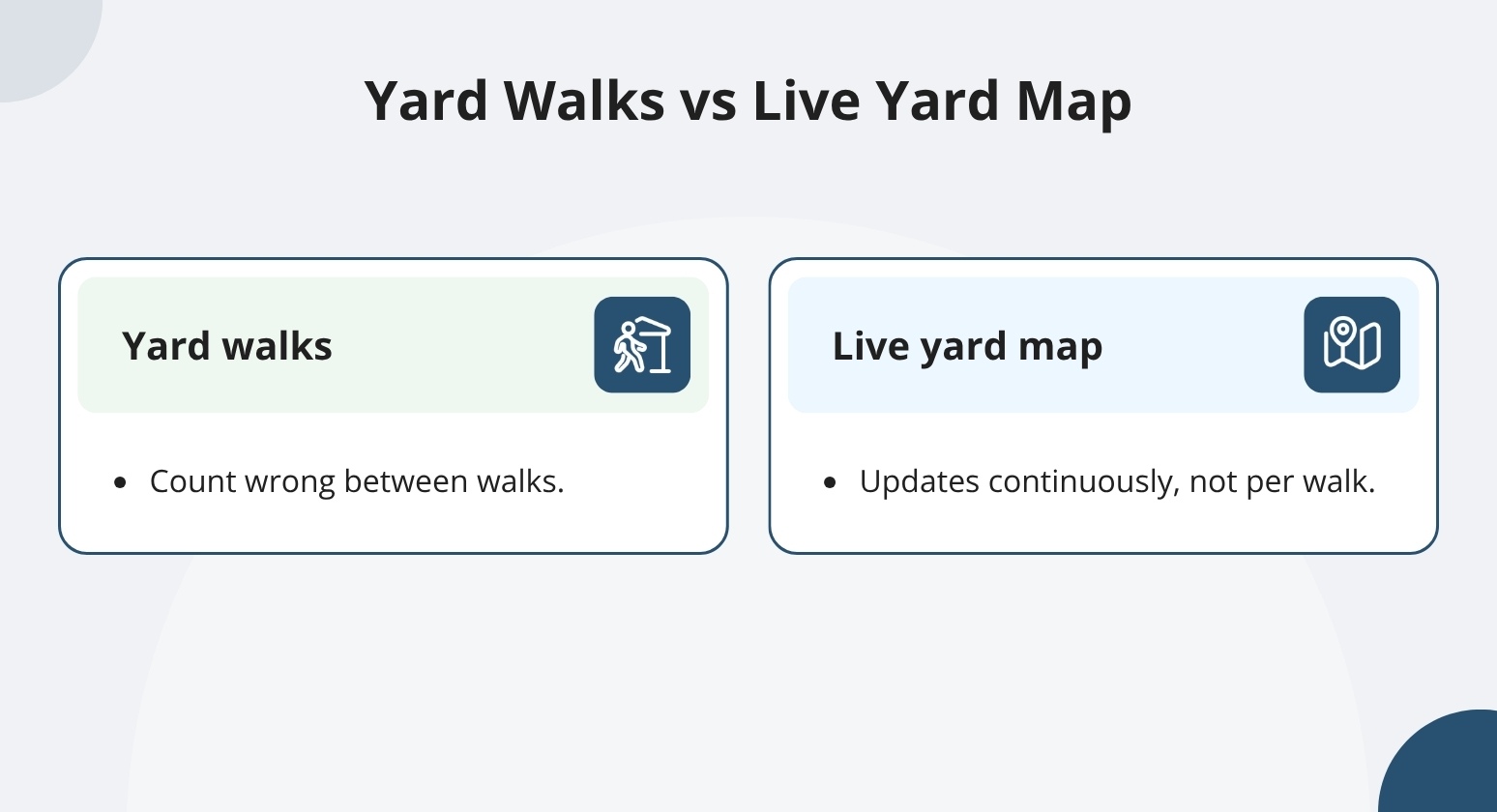
If your team runs three or four yard walks a day, the count may already be wrong by the time you're back at your desk. YardView's live yard map shows trailer location, load status, carrier code, and dwell time across every dock, spot, and lane. It updates continuously, not just at the end of a walk.
When a trailer has been sitting for 24 hours, you can see it, assign a move, or flag it for detention review without waiting for the next audit.
YardView stores every transaction, not a point-in-time snapshot. That includes check-ins, dock arrivals, and departures. That complete record enables accurate dwell data and a defensible audit trail. Automated check-in and check-out keep gate records current without manual entry.
Watch: "That was quick!" — Driver reacts to automated gate check-in #yardmanagement #supplychain #saas
Demonstrates the automated QR-code gate check-in that keeps records current.
Kaleris describes asset inventory and real-time location tracking, check-in/check-out configuration, dock management, and event-based notifications. Good vendor evaluation includes asking how dwell data is stored and whether the full transaction history is accessible for audits or disputes.
Driver Tasking and Communication
Knowing where a trailer is matters. But telling a driver what to do next is a separate challenge entirely.
YardView's in-cab move request system delivers prioritized "next-best-move" instructions directly to yard drivers' devices. Drivers work through an Accept, Start, Finish workflow without waiting on the radio for their next assignment.
If your team is relying on radio to coordinate moves, that approach can leave moves untracked and assignments unconfirmed. A radio-only approach leaves no audit trail, safety prompts, or continuity when crew members change.
OTR drivers receive SMS updates at each stage of their visit, no app required, and no need to exit the cab. That keeps OTR drivers out of active yard traffic. They don't need to walk across a live yard to find a dock contact or locate their next door assignment.
Kaleris describes two-way communication for assigning, prioritizing, and confirming moves. A live demo of both platforms is a good way to confirm which devices each requires, how drivers acknowledge moves, and what communication channels each uses for yard and OTR drivers.
Integrations and Implementation
Getting a new system running in a live yard without stopping freight is where most implementations succeed or fail. If your facility is running an existing WMS, TMS, or ERP, you can connect YardView to it via REST API, SOAP API, flat file, SFTP/FTPS, or EDI. Our Phase 1 rollout mirrors your current processes so freight keeps moving throughout.
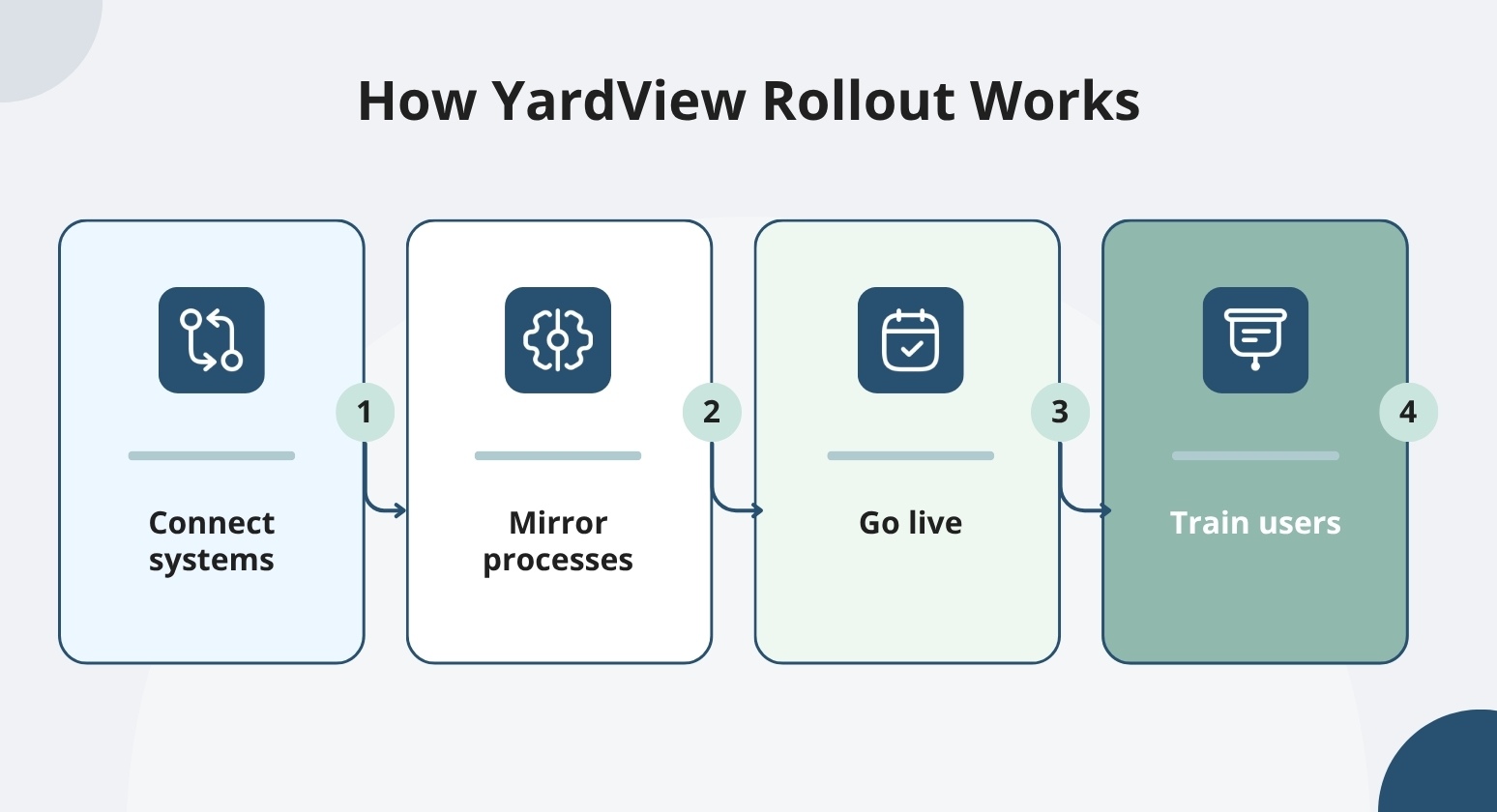
YardView typically has an implementation timeline of four to six weeks. Kaleris describes integration and configuration options but does not publish a comparable timeline.
Good practice is to get a site-specific scope, responsibilities, training plan, and go-live schedule from both vendors before committing.
Existing Systems and Data Exchange
We help you connect YardView to a wide range of systems your operation already runs, enterprise platforms or homegrown tools. YardView connects to SAP and RedPrairie via API. It also connects to Manhattan Associates, Trimble, and Softeon.
If your environment includes a system that can't support a direct connection, the Integration Upload Wizard accepts manually uploaded CSV files to keep data moving.
If your WMS manages inventory flow but stops at the yard fence, YardView reclaims control over your yard operations by tracking trailers, assigning tasks, and surfacing status your WMS can't see. You keep the systems that work.
YardView connects to your WMS and provides visibility into yard assets and status, plus driver tasking, that your WMS wasn't built to handle, without requiring a platform change.
Kaleris also describes WMS, TMS, and ERP connectivity. If you're evaluating Kaleris, note that Kaleris also offers a combined YMS and Kaleris TMS configuration for operations that want transportation execution and yard management within one vendor's suite.
That's a unified platform model, unlike connecting separate systems.
Before committing, confirm the specific data flows, connection methods, and integration effort for your environment with both vendors.
Rollout and User Adoption
YardView says most implementations take six weeks or less. YardView also says most users complete training in about an hour.
If your yard deals with frequent turnover, that training timeline matters as much as the feature set. A new spotter who's productive on day one can reduce the hours a supervisor spends on hand-holding and rework.
Color-coded interfaces keep the tool consistent, no matter how long someone has been on the crew. Tasks take one or two clicks, so crew members have less to memorize as they change.
Customers like Goodyear and Fleetmaster Express choose YardView for its ease of use. It's also why they stayed. When the tool is easy to use, crews use it.
Ask both vendors for a site-specific rollout plan and a confirmed training estimate before making a final decision.
Which Platform Fits Your Operation?
The two sections below break the comparison into the criteria that matter most to each reader: daily execution on the ground and measurable outcomes across the network.
Priorities for Facility and Yard Operations Leaders
The core question to pressure-test in any demo is simple: does the tool shorten the daily firefight, or does it create new work? A reliable test is timing how quickly a user can locate a specific asset, receive a move instruction, and confirm it's complete. Those three steps show how the tool will perform in your yard.
If your crew manages high turnover, it's worth checking how fast a non-technical driver can learn the system. Training time matters, especially in high-turnover environments. YardView's in-cab workflows are built for about 1 hour of training. Kaleris is worth asking directly about its learning curve.
Good comparisons also account for yard complexity, driver devices, and how each platform handles exceptions, for instance, what happens when a driver can't complete a move or connectivity drops mid-shift.
Priorities for VP Operations and COOs
If your priorities center on network visibility, consistent reporting across sites, and a defensible ROI model, the evaluation shifts. You're less focused on daily workflows and more focused on measurable financial contribution.
We help you assess how each platform reports facility-level dwell data, pulls gate throughput and trailer counts from each site into a single report, and connects to your existing WMS, TMS, and ERP systems. Ask each vendor to show exactly how its proposed configuration supports your actual facilities and workflows.
If you're skeptical of experimental technology, ask how long each vendor's automation has been live in production. We help you pressure-test deployment timelines and training requirements. We also show you how much manual administrative work you can minimize.
For most teams, real human support after go-live can matter as much as the software itself.
For a closer look at how YardView's real-time visibility and Kaleris yard management each approach these priorities, the questions in the next section will help you push past the demo and into specifics.
Questions to Ask in a YardView or Kaleris Evaluation
Before you commit to either platform, bring a specific set of questions to each vendor conversation. Generic demos won't expose the real cost and effort for your facility. A configured demonstration and a site-specific proposal will show you what matters for your facility.
On visibility, confirm which yard and gate events each platform tracks. Also ask what data each event captures: dwell time, seal number, load status, and so on. On moves, ask how each platform assigns tasks to yard drivers and on what devices.
Also confirm whether drivers complete tasks in the system or by radio.
On integrations, ask which systems the platform connects to. Find out whether that connection uses an API, flat file, or another method. Ask whether the platform requires any additional proprietary hardware. On reporting, confirm which audit records the platform includes by default and which require additional configuration or cost.
On implementation, ask for the estimated timeline and a written training plan. Consider asking how long it takes a typical crew member to complete their first unassisted task after training.
On ROI, ask how the vendor recommends measuring results and over what period. Kaleris's reported figures can look compelling, but validate the assumptions against your own dwell times, detention invoices, and labor hours before relying on any headline number.
Choose the Yard Management Platform That Proves Itself
Comparing YardView and Kaleris usually comes down to a single question that spreadsheets and feature matrices never answer: how quickly will the yard run better once the software is live?
YardView, built by Cypress Inland Corporation since 1998 and trusted by more than 10,000 users globally, is designed to train gate guards, yard drivers, and planners in an hour or less, then let them immediately replace clipboards, whiteboards, and legacy screens with live visibility across the gate, yard, and dock:
- Drag-and-Drop Yard Console: A graphical view of the entire operation showing up to 20 data points per asset, with color-coded rectangles for load status, cargo direction, carrier code, trailer ID, location, and dwell time.
- Move Assist with Next Best Move: Automated recommendations based on backend mapping, proximity, urgency, and request age, with skip reasons captured from a predefined list to fuel continuous improvement.
- Flexible Gate Configurations: Touchless, manned, or unmanned gates supported by AI cameras with OCR, QR code scanning from a driver's own device, kiosks, ELD integrations, GPS geofencing, and a Fast Pass lane for trusted carriers.
- Four-Way Appointment Creation: Dock scheduling fed by ASN, TMS, and WMS integration; carrier self-service portals; system-triggered events; or manual entry, with detention monitoring and threshold-based alerts.
- Analytics Across Four Categories: Reporting spans inventory and capacity, dock and trailer turn time, facility and dock door dwell, plus detailed yard driver and move metrics, including productivity, idle time, mis-spotted moves, and re-spot history.
Explore YardView and let the yard itself be the proof point in your evaluation.