Key takeaways:
- Letting a driver through the gate and authorizing that driver to collect a specific load are two separate permissions, and collapsing them leaves shipment releases unverified.
- Unclosed visit records carry forward into the next day, so occupancy counts become unreliable unless an open visit list shows exactly who entered the yard but never left.
- YardView's blind seal verification hides the expected seal number from the outbound checker, removing the temptation to confirm rather than check and narrowing the window for freight fraud.
- Shared gate logins credit a departure to the gate rather than a person, so individual accounts with role-based access are what turn a log into an audit trail.
Two questions decide whether a yard is under control: which vehicles and people are inside the fence right now, and who holds authority to leave with a particular load. Many sites answer the first one only partway. A gate camera reads a plate.
A clipboard at the guard shack collects a name. The harder test is reconstructing what happened yesterday, from a record, not memory. If a customer asks which truck left with a specific trailer, the answer should come from a record, not memory or a radio call.
Access control is an operating workflow connecting gate entry, activity inside the fence, and outbound release.
Every Vehicle on the Yard Needs an Accountable Visit
A gate camera captures a plate. It does not tell you who was driving or what they were authorized to do once inside.
Every vehicle type needs an accountable visit record: freight trucks, yard equipment, employee personal vehicles, contractors, service vehicles, and visitors.
Employee and Personal Vehicles
If your site allows personal vehicles, that record should include the plate, authorized parking area, and current visit status. Temporary vehicles, loaner cars, and replacements need the same treatment. Revoked access closes the entry immediately rather than waiting for the next gate cycle.
Unclosed visit records carry forward into the next day, making your occupancy count unreliable. An open-visit list shows exactly who has entered but not yet left, so your team isn't guessing at site occupancy.
Contractors, Visitors, and Service Vehicles
A structured check-in record for contractors, visitors, and service vehicles can include the person's name and organization. It can also cover the host contact, visit purpose, and vehicle details. The entry can also capture the identity-check result, arrival time, and departure time.
CBP's visitor-log sample covers host, identity verification, and time-in/time-out fields as a practical reference. CBP publishes it as CTPAT guidance, not a universal requirement for every DC or plant.
If a site policy requires escorts, the record can note who is responsible. Approved work areas and temporary identification assignments can go in the same entry. Checkout ownership matters too; someone needs to be accountable for confirming the visitor has left.
Entering the Yard and Picking Up Freight Are Two Different Permissions
Letting a driver through the gate is not the same as authorizing them to collect a load. These are separate decisions. Combining them can leave shipment releases unverified.
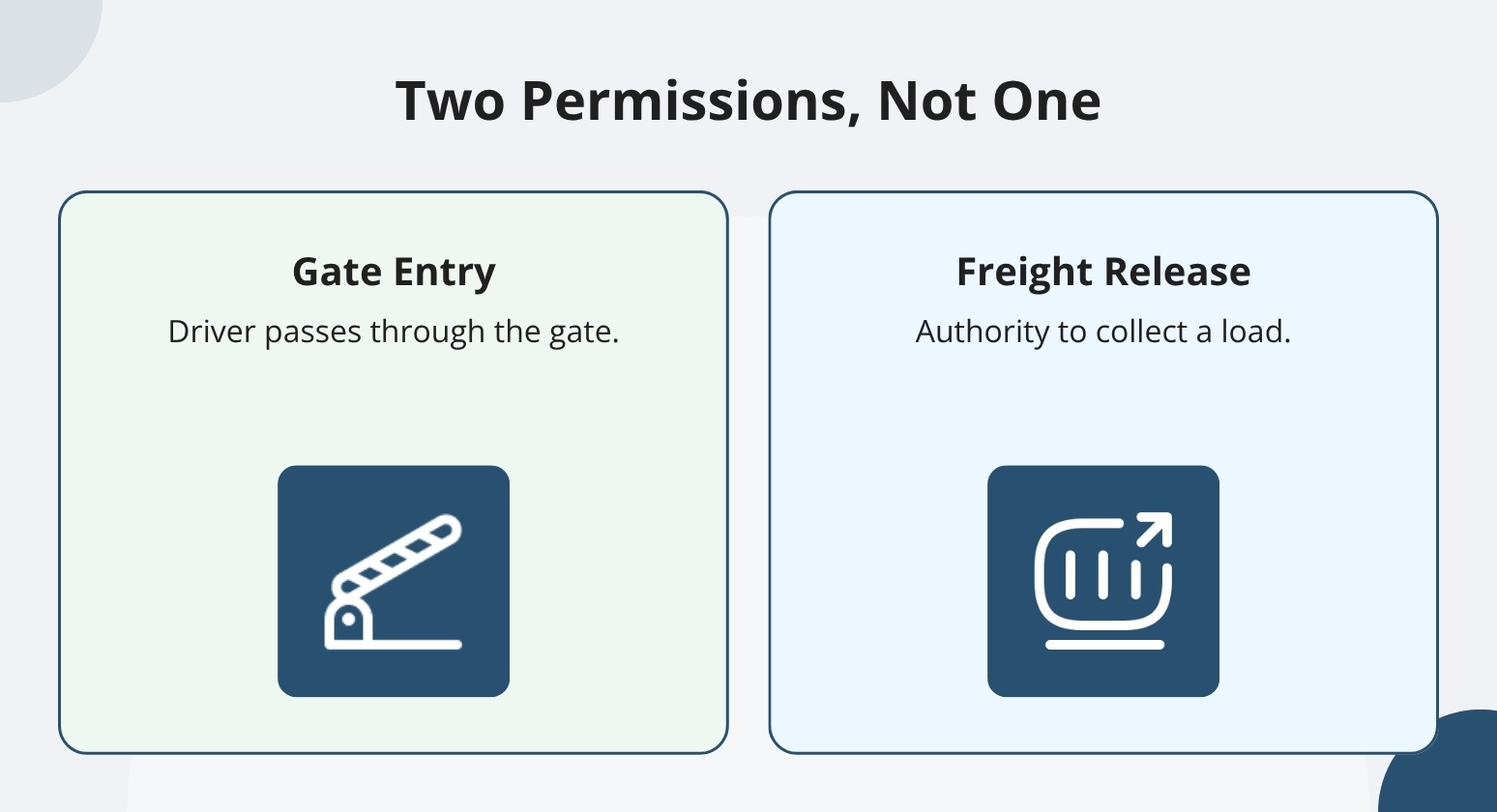
Each step deserves its own documented check. That means verifying identity, confirming visit approval, confirming the permitted destination, and releasing the specific shipment. A familiar carrier name or pickup reference is information to verify, not a substitute for that sequence.
Staffed, Self-service, and Touchless Gates
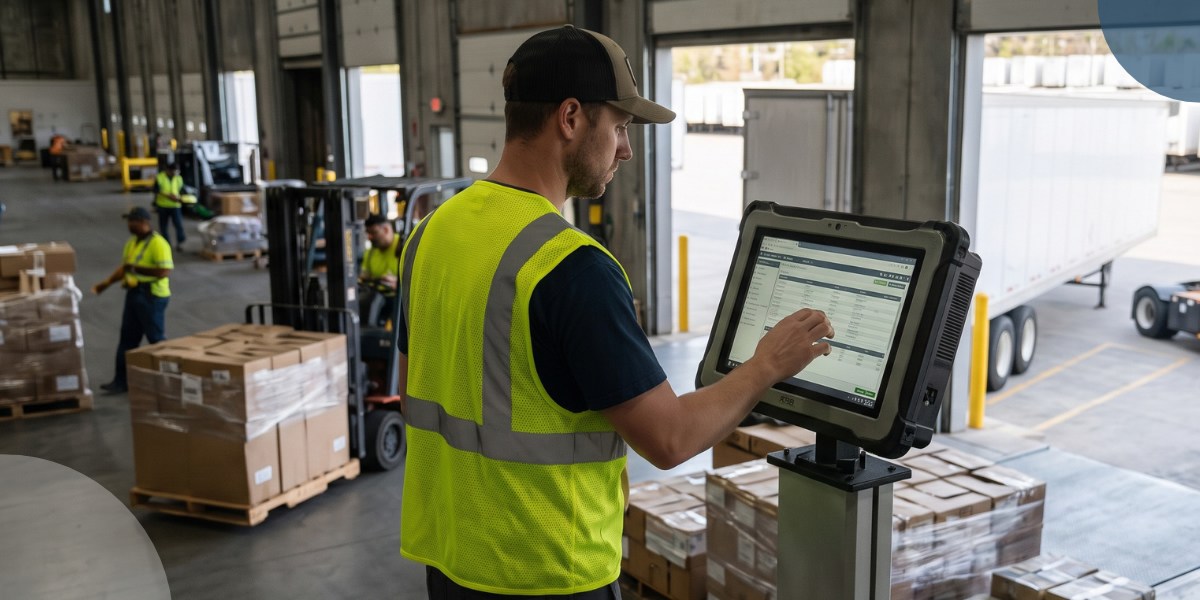
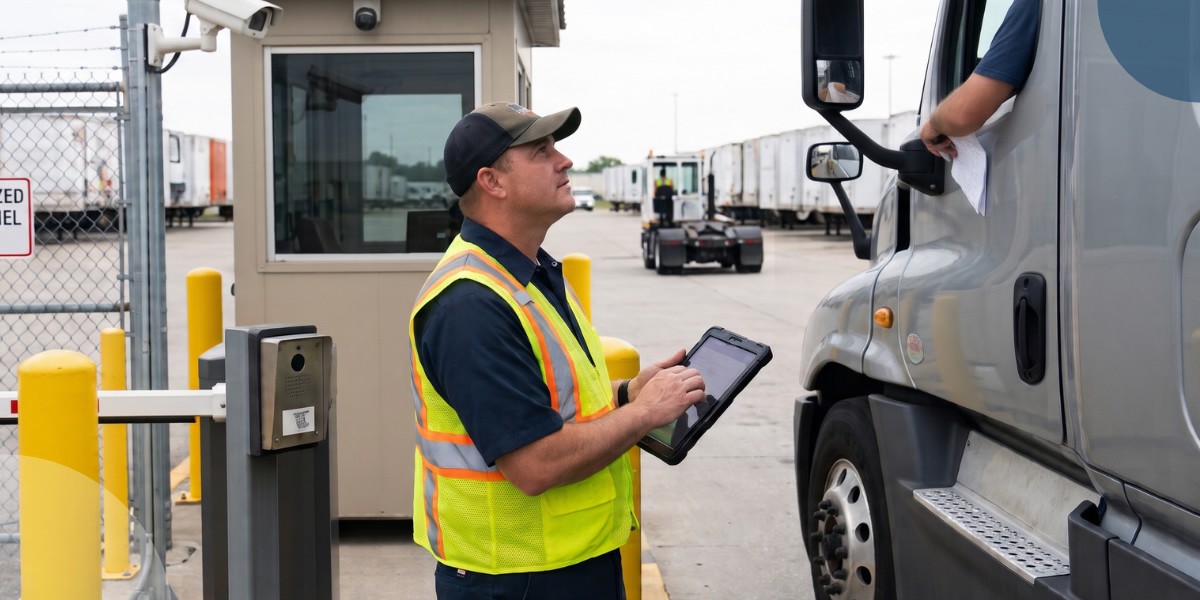
Gate configurations range from fully staffed to self-service kiosks to fully touchless. Each option captures arrivals and guides drivers to open yard locations, but identity verification and freight release remain separate decisions regardless of which method your site uses.
A touchless gate doesn't mean a less-controlled gate; the timestamped arrival record exists either way, whether a guard collects credentials or a driver scans a QR code on their own device.
If your operation uses personal-device check-in, drivers use their own phone with no additional proprietary hardware required.
Verifying the Driver, Carrier, and Load Before Freight Leaves
Shipping or dispatch prepares the expected pickup record. A named supervisor holds release authority, and the gate verifies the arriving party against that record before anything moves.
Driver Identity and Expected Pickup Details
The gate clerk compares the arriving driver's name against the expected pickup record. Then the gate clerk verifies photo identification under the facility's policy. CBP's driver-log guidance recommends identifying the driver before cargo release, along with advance notice of the driver's name and truck number.
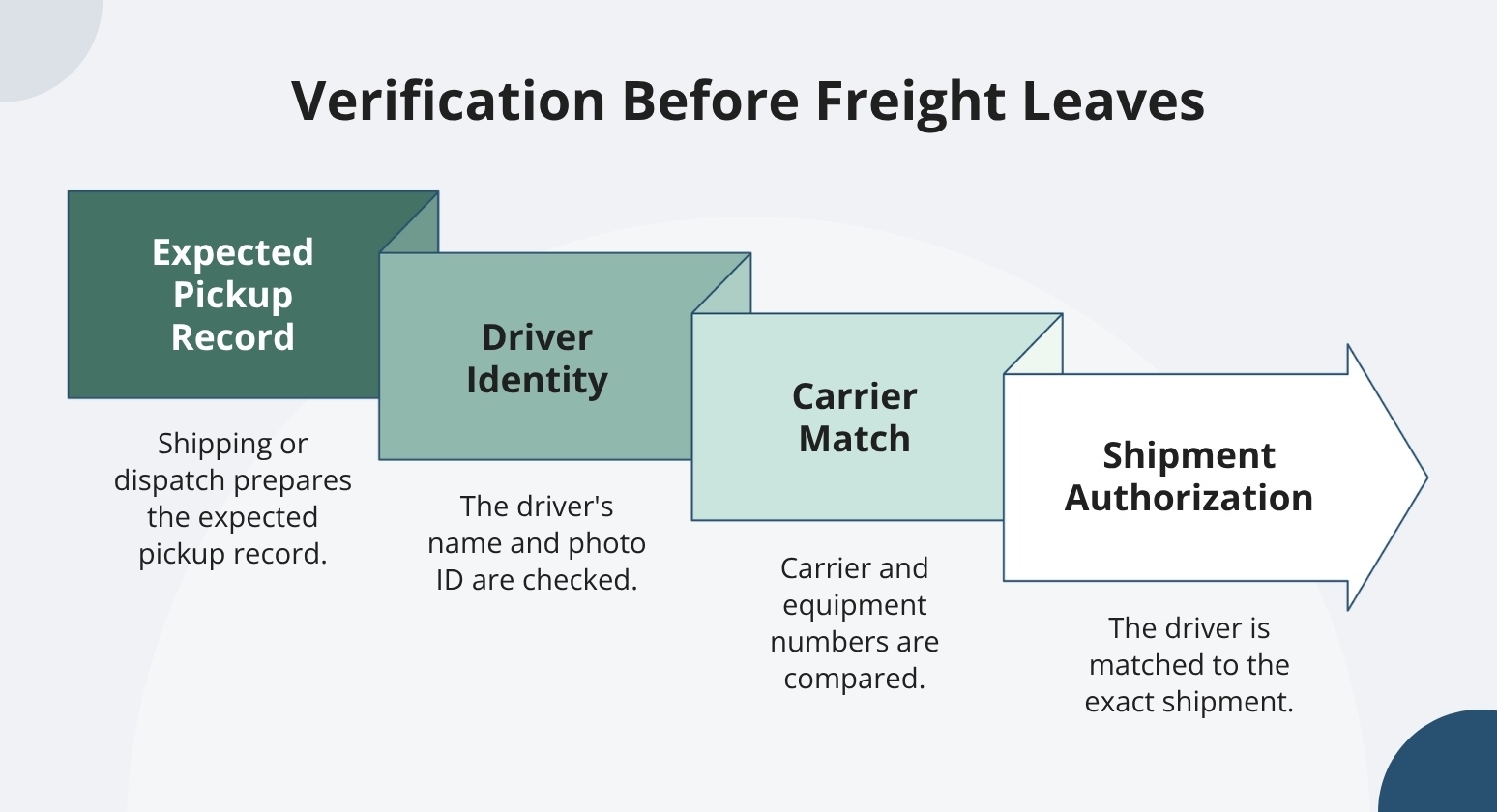
Confirming identity is necessary, but it doesn't authorize the driver to collect a particular shipment on its own. When drivers arrive without advance notice, the gate clerk contacts the dispatcher or supervisor before releasing any cargo.
Carrier, Tractor, and Trailer Matching
Good practice is to compare the carrier name and identifying numbers on the arriving truck against the contracted carrier on record. FMCSA recommends maintaining these comparisons in driver and vehicle logs as a safeguard against carrier fraud and identity theft.
It's good practice to capture tractor and trailer plates before the truck proceeds. If your operation uses a trusted-carrier lane, YardView's trusted-carrier configuration reduces the manual data-entry steps at gate check-in for known carriers. It does not replace the carrier match itself.
If the arriving equipment doesn't match the expected carrier, the typical step is to contact a confirmed shipper or dispatch contact before allowing access.
Shipment Authorization and Last-minute Pickup Changes
Before anything moves, match the approved driver and carrier to the exact shipment and trailer. Confirm release status against your facility's trusted dispatch or shipping record.
When drivers are substituted or equipment changes at the last minute, each change needs a named approver and a recorded decision.
We help you capture who approved the change, when, and against which shipment record. That approval record minimizes disputes between teams when a release is questioned after the fact. If instructions change at the gate, treat the update as a new authorization decision. Duplicate pickup attempts need the same scrutiny.
Blind Seal Verification as an Outbound Safeguard
Hiding the expected seal number from the person performing the outbound task removes the temptation to confirm rather than check. If a mismatch has slipped through, that's usually why. A physical match is required before release proceeds, and that design decision reduces mis-releases and minimizes the window for freight fraud.
YardView implements this as Blind Seal Verification, a documented feature within its broader high-value load protection capabilities.
It doesn't replace identity verification or shipment authorization. Those remain separate required steps.
Handling Seal Mismatches and Release Exceptions
Check for missing, damaged, or mismatched seal numbers. If you find any issue, hold the trailer before proceeding with release. Route the driver and vehicle to a designated waiting area. Notify a named owner and open an investigation record before anyone makes a release decision.
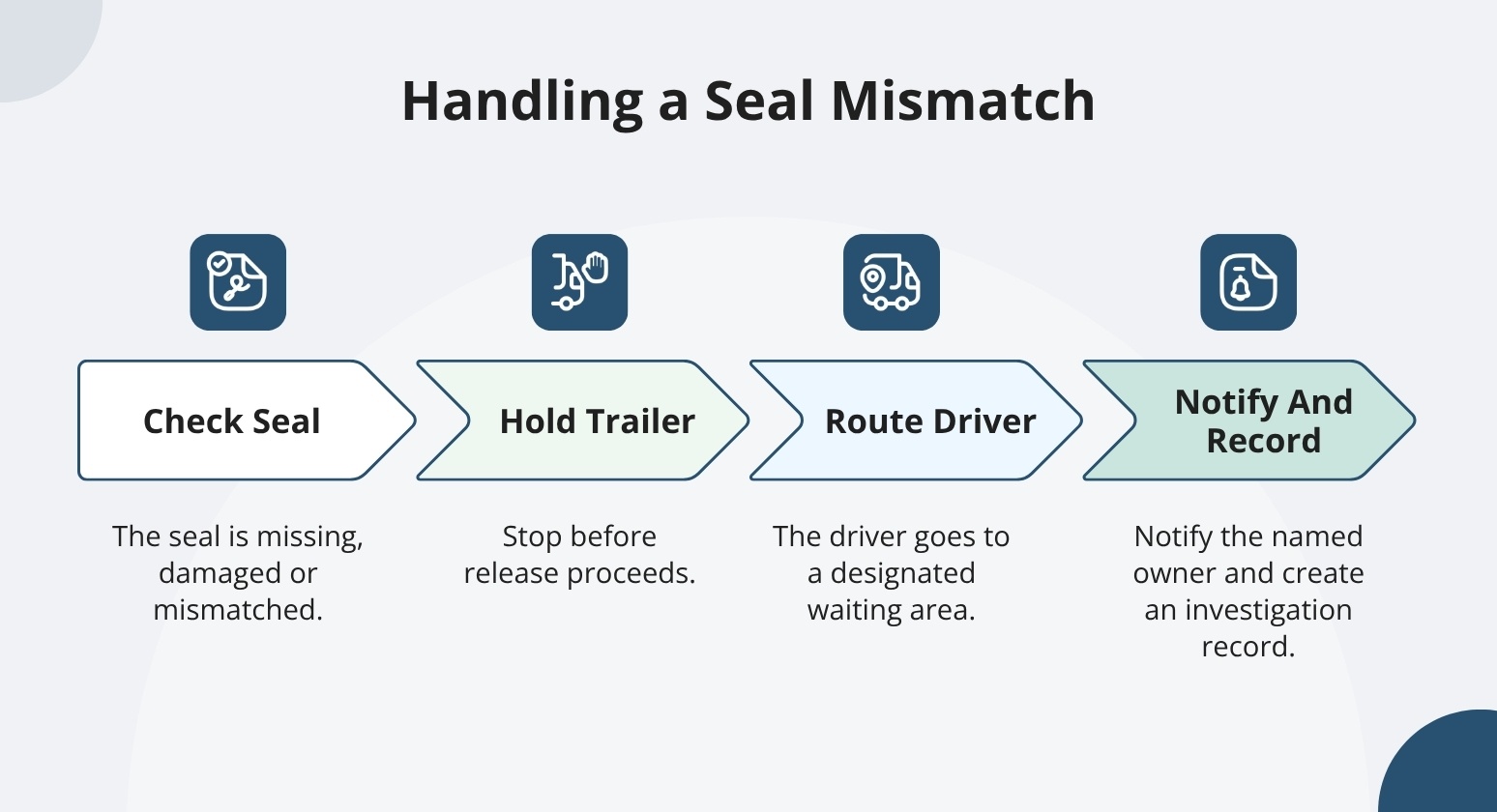
The goal is a repeatable, documented exception. A held load should become a recorded event. That record needs a timestamp, a notification trail, and a named approval. We help you build this exception workflow into your process so a held load is less likely to become an undocumented judgment call.
Consider these proposed controls as a starting point to configure and test with your YardView implementation team. During setup, confirm the override hierarchy, escalation steps, and approval workflow.
Should Third-party Gate Guards Use the YMS?
If you outsource the guard function, contracted guards should use the same gate-recording workflow as internal staff. A paper log the YMS never sees can break the entry and departure record exactly where a significant share of access risk often sits.
Outsourcing the guard function shouldn't create a gap in your facility's event history. That's the blind spot the gate is supposed to close.
Individual Accountability and Least-privilege Access
If your yard relies on shared login credentials, a departure logged at the gate credits "the gate" rather than a person. That is not an audit trail.
YardView's role-based access locks users into their areas of responsibility and can separate check recording from exception approval. Confirm specific permission granularity and approval controls with us for your proposed configuration.
Guard Training and Shift Handoffs
Every guard should know how to handle an unexpected arrival, a pickup-change request, a seal discrepancy, and when to escalate rather than improvise. CTPAT's foreign-manufacturer security criteria, which apply specifically to manufacturers seeking CTPAT certification, require documented training on access controls and suspicious-activity reporting. It's worth reviewing even if your operation isn't a CTPAT participant.
Good handoffs include the full picture: open visits still on the yard, held loads, unresolved discrepancies, and any equipment outages. YardView's reconciled open-visit view shows the oncoming guard which trailers are still on the yard and which loads are on hold, so the handoff is grounded in the system rather than a verbal summary.
Keeping the Gate Moving Without Weakening Verification
Speed and verification are not competing objectives. The controls described work best when drivers know exactly what to expect at the gate. Your team should own exceptions before they happen, not improvise in the lane.
A Pilot That Tests Real Gate Exceptions
A useful pilot covers more than a standard freight pickup. Test a contractor visit, an employee vehicle change, an unexpected driver substitution, a seal mismatch, a shift change, and a technology outage. Each scenario shows you which exception types need a manual override and why.
It's worth asking how non-freight visits, third-party guard access, approvals, and records would work in your proposed setup. That means the pilot reflects your actual yard, not a generic demo scenario.
Measuring Access Control Across Facilities
Start with shared definitions. They make cross-site comparisons meaningful and let operations, security, and network leaders compare facilities on the same terms.
Consider starting with the percentage of visits with complete entry and exit records, the count of unresolved open visits, and the rate of completed identity and seal checks. Also track the number of release exceptions, exception-resolution time, and gate-processing time per visit.
That shared baseline can help you spot where a site may be processing gates faster by skipping required checks, something gate-processing time alone won't show. These are proposed operating measures.
Lock Down Your Gate and See Every Trailer with YardView
When anyone can roll up to the gate with a vague claim about which load they are there for, security becomes guesswork and freight loss becomes a matter of time.
YardView replaces paper logs, clipboards, and hand-waved approvals with timestamped digital gate transactions, verified appointment credentials, and a live graphical view of every asset on the property, so access is granted on evidence rather than assumption.
- Verified Gate Check-In: Drivers present QR codes that automatically populate arrival information, with appointment confirmations emailed to carriers as gate passes.
- AI Camera and OCR Capture: Smart cameras read trailer and asset data at the gate, supported by ELD integrations and GPS geofencing for additional arrival verification.
- Trusted Carrier Fast Pass: Streamlined access for pre-vetted carriers across touchless, manned, or unmanned gate configurations, keeping scrutiny focused where it belongs.
- Live Asset Accountability: The drag-and-drop visibility console shows up to 20 data points per asset, including carrier code, trailer ID, location, load status, and dwell time across docks, yard spots, and waiting zones.
- Audit-Ready Records: Compliance reports, seal management, user activity logs, and inbound/outbound gate activity analytics document exactly who entered, what moved, and when.
Explore YardView to implement tighter control over who gets through the gate and what leaves on a trailer.